
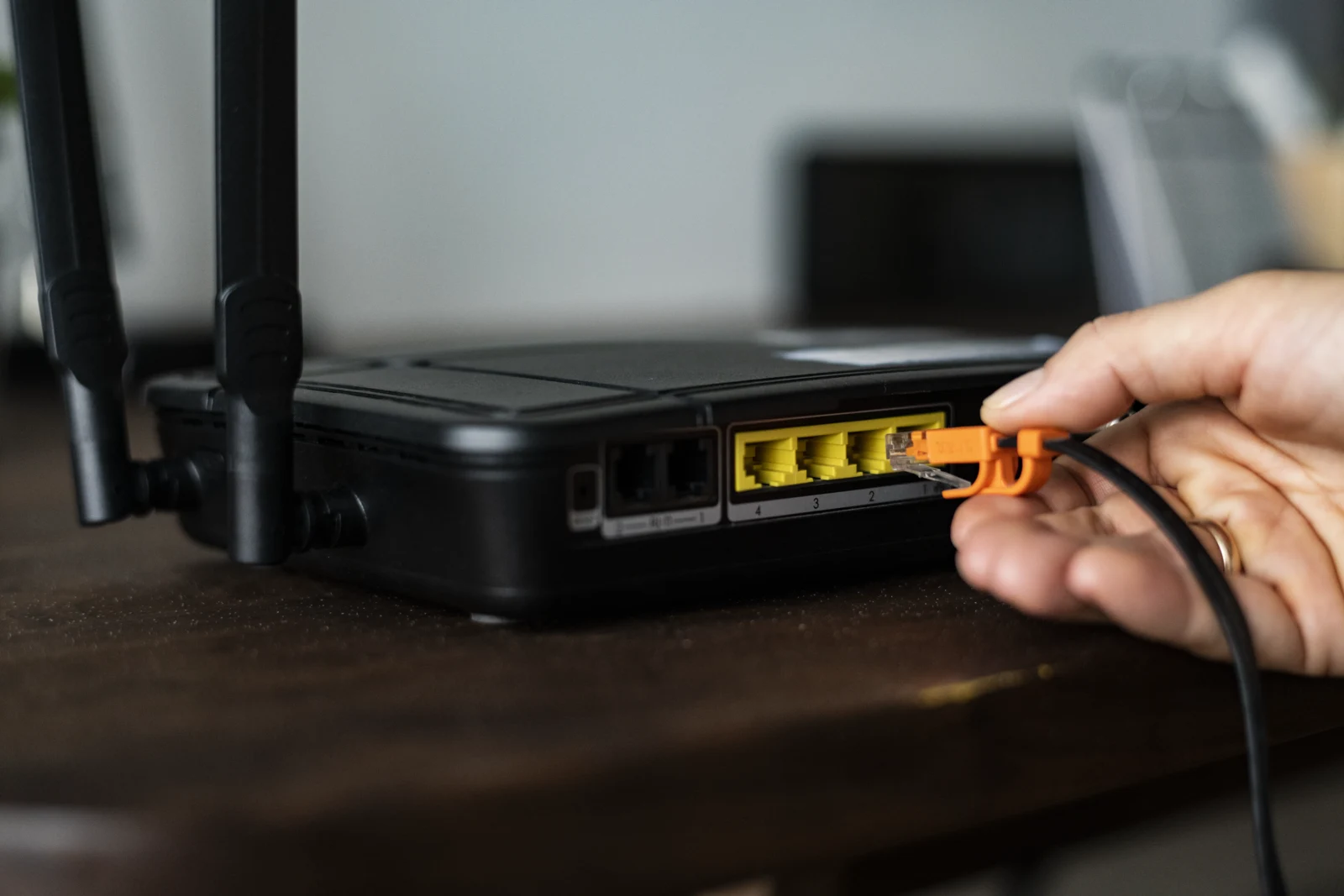
A power bank looks like the perfect portable solution: plug in your router and you have Wi-Fi in a camper, at a campsite, in a holiday rental or at a remote workspace. In practice it often goes wrong. The router won’t turn on, keeps rebooting, or the Wi-Fi drops every few minutes. Here is why it happens and how to fix it.
The main culprit: a voltage mismatch
Power banks output 5 V over USB. Most routers run on 9 V or 12 V (less often 5 V or 24 V). The required voltage and current are printed on the router’s power adapter and on the label underneath the router, for example “12V 1A” or “9V 0.6A”.
If you feed a 12 V router with 5 V, it will either fail to start or run unreliably: it powers on, freezes and reboots. That is why you need a step-up (DC-DC) converter cable that boosts 5 V to 9 V or 12 V.
Why the power bank can’t keep up
A router typically draws 5-15 W. But boosting voltage isn’t free. To deliver 12 V at 1 A (12 W), the converter pulls more than 2.5 A from the USB port at 5 V, because some energy is lost as heat. Budget converters are typically 75-90% efficient.
This leads to common problems:
- the power bank port delivers only 1 A when 2.5-3 A is needed, so the voltage sags;
- the power bank’s overload protection kicks in and shuts the port off;
- at startup the router briefly draws more current (inrush current), and the power bank trips its protection even though the steady load would have been fine.
Other common causes
- Auto shut-off at low load. Many power banks are designed for charging phones. If the draw stays low (say 2-5 W), they assume the device is fully charged and switch the port off. The router “dies” after 30-60 seconds. Look for models with an “always-on” or low-current mode, or power banks made specifically for routers.
- Charging and discharging at the same time. Most power banks can’t reliably charge from the wall while powering a device. When the input source changes or the power bank switches modes, the output cuts out for a moment and the router reboots. It’s not a true UPS.
- Fast-charge negotiation problems. Trigger-type converter cables negotiate 9 V or 12 V with the power bank using QC or PD protocols. If the power bank doesn’t support the right protocol, it falls back to 5 V and the router won’t run. Also, the USB PD standard officially defines 5, 9, 15 and 20 V, so 12 V is not supported by many models.
- A cheap cable or converter. Thin wires cause voltage drop, and poor converters output unstable voltage with ripple and noise. The router doesn’t shut off completely, but the Wi-Fi radio misbehaves: dropouts, slow speeds, random reboots.
- Overheating. A converter in an enclosed space (under a blanket, in a cabinet or a bag) overheats and either trips its thermal protection or becomes unstable.
- A nearly empty battery. When the power bank is almost drained, its voltage sags and the converter can no longer deliver a steady 12 V.
- The wrong barrel plug. Plug sizes vary (5.5×2.1 mm, 5.5×2.5 mm, 3.5×1.35 mm). A loose fit causes micro-interruptions, and reversed polarity can destroy your router.
It isn’t always the power bank
If the router is just as unstable on wall power, the problem lies elsewhere: weak signal, an overheating router, an ISP-side fault, outdated firmware or a congested Wi-Fi channel. Rule these out before buying new gear.
How to diagnose it
- Compare the voltage and current on your router’s original adapter with what your converter outputs.
- Try a different power bank port or a different cable.
- Measure the converter’s output voltage with a multimeter while the router is running. It should stay within ±5% of the rated value.
- Note when the failures happen: right at startup (inrush current), after a few minutes (auto shut-off or overheating), or under load (not enough power).
- If you can, try a different power bank.
How to set it up properly
- The minimum: a power bank with a port rated for at least 2-3 A (ideally USB PD at 20 W or more) and a quality converter cable for the right voltage, with current headroom to spare.
- The better solution: a router mini-UPS with 5/9/12 V outputs. It behaves like a true uninterruptible supply, switching seamlessly between wall power and battery, doesn’t shut off at low load, and runs on built-in 18650 cells.
- ISP equipment: a fiber ONT or modem may need power too. Without it you have no internet even if the router is running.
- Don’t skimp on the converter. It’s usually the weakest link.
How long will it run?
A rough formula: capacity (Wh) × 0.8 ÷ router power draw (W).
A 10,000 mAh power bank at 3.7 V holds about 37 Wh. After conversion losses, that’s roughly 30 Wh usable. A 10 W router will run for about 3 hours. The capacity printed on the box is rated at the cell voltage (3.7 V), not at 5 V output, so real-world numbers are always lower than they look.
Conclusion
A router usually fails on a power bank because the power bank outputs 5 V while the router needs 9-12 V, and the converter draws more current than you’d expect. Add auto shut-off at low load, poor-quality cables and the lack of a true UPS mode, and you get the typical set of problems. The fix: a proper converter, a power bank with enough output, or, better still, a dedicated router mini-UPS.
FAQ
Can I power a router from a power bank?
Yes, but usually you’ll need a 5 V to 9/12 V converter cable and a power bank that can deliver at least 2-3 A.
Why does my router shut off after a few minutes?
Most often the power bank turns off its port automatically because it considers the load too small to be a phone charging.
How long will a router run on a 10,000 mAh power bank?
About 3 hours at a 10 W draw, after accounting for voltage conversion losses.
Which is better: a power bank or a mini-UPS?
A mini-UPS. It switches over without interruption, doesn’t shut off at low load, and provides outputs for the voltage your router needs.
Більше новин в телеграмі