OnePlus Pad Go 2 launches globally: what’s actually new in this budget tablet with a 7:5 display and a 10,050mAh battery
OnePlus Pad Go 2 is trying to own a very specific lane: a budget-friendly Android tablet for studying, everyday work, and long-form reading. It does not pretend to be a premium iPad competitor on looks alone, but it aims to feel modern and practical where tablets matter most: a comfortable screen, predictable battery life, and software features that make multitasking less annoying. The headline features are not cameras or gaming bragging rights, but a 12.1-inch display with an unusual 7:5 aspect ratio and a large 10,050mAh battery designed to power a full day of real use.
For many buyers, this is the kind of device that replaces the “laptop plus notebook” routine with something lighter: PDF reading, note-taking, video lessons, and two apps on screen at the same time. That is why Pad Go 2 is more interesting when you explain how each feature changes daily use, not when you list specs like a catalog. Below, we break down the screen, battery, performance, multitasking, and stylus support in plain terms, with an eye on what you should verify once independent reviews and real user feedback appear.
- Positioning: an affordable OnePlus tablet built around study, reading, and office-style tasks.
- What people actually search for: 12.1-inch 2.8K 120Hz tablet, 7:5 tablet for reading, 10,000mAh tablet battery.
- Strengths on paper: a tall 7:5 display, Open Canvas multitasking, and optional stylus-driven workflows.
- What to verify before buying: battery life at 120Hz, multitasking stability, and real-world outdoor brightness.
If you approach Pad Go 2 like a “big phone,” it is easy to set the wrong expectations. Tablets live in different habits: reading longer, writing more, splitting the screen, and staying unplugged for hours. With that in mind, here is what each key point means in practice.
Why the 12.1-inch 2.8K 120Hz display and the 7:5 aspect ratio matter on a tablet
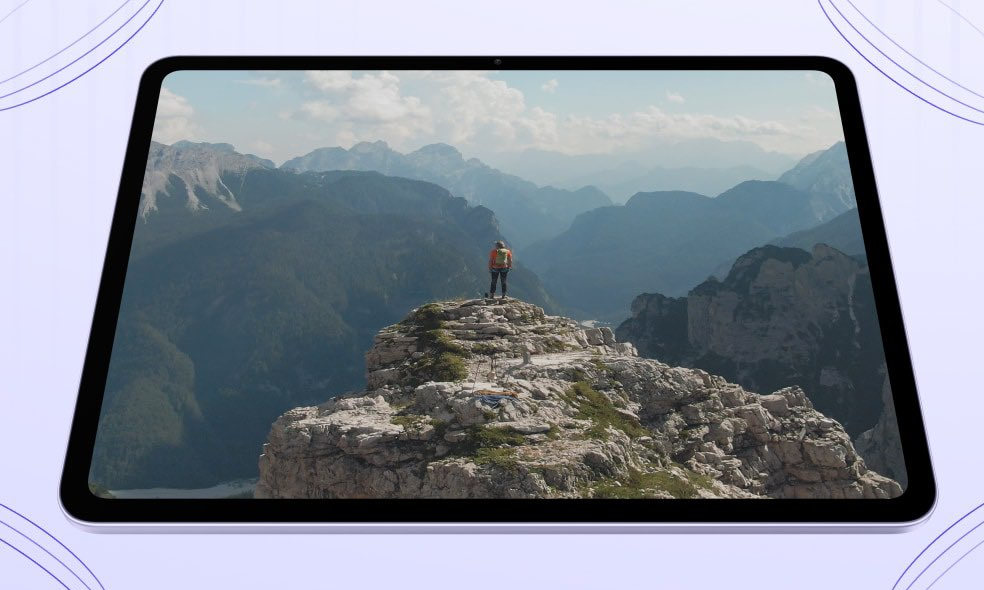
Pad Go 2 uses a 12.1-inch display with a 2.8K resolution and a 120Hz refresh rate, plus HDR support and a high-brightness mode that is meant to help in bright rooms and outdoor situations. For everyday use, that translates into simple wins: small text in PDFs and spreadsheets stays readable without constant zooming, scrolling feels smoother, and UI animations look less jittery when you jump between apps or pages.
The more important part is the 7:5 aspect ratio. It is closer to a “sheet of paper” than to a wide movie screen, and that changes how the tablet feels for documents and split-screen work. You get more vertical space for reading, notes, and web pages, and two apps side-by-side look less cramped than they often do on wider displays. The trade-off is obvious: movies and some video formats will show larger black bars, but the device is clearly optimized for text-first tasks where comfort beats cinematic immersion.
- 2.8K sharpness: helps with PDFs, textbooks, and web pages without constant scaling.
- 120Hz refresh rate: smoother scrolling and a cleaner feel when switching and writing.
- High brightness mode: improves readability in brighter environments.
- 7:5 format: more usable height for documents and split-screen productivity.
On a tablet, the display is not just a spec; it is the whole experience. If your day is documents, reading, and note-taking, the 7:5 shape can feel like a quiet upgrade you notice every hour.
10,050mAh battery and 33W charging: what it changes beyond “it lasts longer”
OnePlus lists the battery at 10,050mAh (with a rated figure often shown separately), and the point of a battery this large is not only video playback time. Bigger capacity matters most when the tablet is doing “real tablet things”: a bright screen, 120Hz enabled, two apps open, and Wi-Fi or 5G working in the background. In those conditions, a smaller battery forces you into constant trade-offs. A larger battery gives you a buffer, which is what makes a tablet feel dependable.
Charging is rated at 33W, which is not the fastest number on paper, but it can be a sensible balance for a large battery. Moderate charging can mean lower peak heat and a more predictable daily routine, especially if you top up between classes or meetings. Real-world endurance and thermals still need independent testing, but the overall setup looks designed for “all-day use” rather than headline charging races.
- Capacity: 10,050mAh (with a separate rated value often listed by manufacturers).
- Charging: 33W via USB-C.
- Practical effect: less battery anxiety during travel, study sessions, and long reading.
- Key caveat: final battery and heat conclusions require independent reviews.
A tablet battery earns its reputation through boring consistency: it should last when you stop thinking about it. If Pad Go 2 keeps heat under control while staying responsive at 120Hz, the battery becomes a genuine reason to choose it in this price tier.
Dimensity 7300-Ultra: the kind of performance a budget tablet actually needs
Pad Go 2 is expected to use a MediaTek Dimensity 7300-Ultra platform, which signals a “balanced” approach: enough power for daily tasks without paying for a flagship chip that many tablet buyers never fully use. On a tablet, the real performance test is not a benchmark spike. It is whether the interface stays stable when you have multiple windows open, a browser full of tabs, and a video call running at the same time.
In practical terms, performance here is about avoiding friction: no stutters when you type in documents, no slowdowns when you split the screen, and no heat buildup that turns the device into an uncomfortable slab during long sessions. If the software is tuned well, this level of hardware can feel fast for the tasks Pad Go 2 is built around: study, office work, reading, messaging, and streaming.
- Best-fit tasks: study apps, office documents, browsing, email, calls, notes, and video.
- What should feel stable: split-screen, app switching, tab-heavy browsing.
- What not to expect: heavy 4K editing or hours of high-end gaming at max settings.
- Why it matters: on a tablet, predictability beats peak numbers.
This is not a “gaming monster” pitch, and it does not need to be. The success of Pad Go 2 depends on smooth, reliable daily use, not on chasing laptop-class performance in a budget frame.
Open Canvas and the 7:5 screen: why multitasking can feel more usable here
OnePlus is pushing Open Canvas as a core software feature, and the basic promise is simple: keep more than one app visible without turning everything into tiny, frustrating columns. When you are learning or working, the value is immediate. You can watch a lesson while taking notes, keep a chat open while editing a document, or reference a web page while writing a summary.
The 7:5 screen shape helps this make sense, because you have more height to work with. That means two windows can stay readable instead of becoming compressed strips. The best tablet multitasking is not flashy; it is quietly efficient, and that is where Open Canvas needs to land to matter beyond marketing.
- Open Canvas: a multitasking approach built for multiple app windows.
- Split-screen plus floating windows: switch tasks without losing context.
- Why 7:5 helps: more vertical space for text and documents in split layouts.
- Real scenarios: lesson plus notes, email plus spreadsheet, chat plus browser.
If you buy a tablet for productivity, multitasking is not a bonus feature. It is the difference between “useful tool” and “big screen for scrolling.” This is one of the areas worth checking in real reviews for stability and app compatibility.
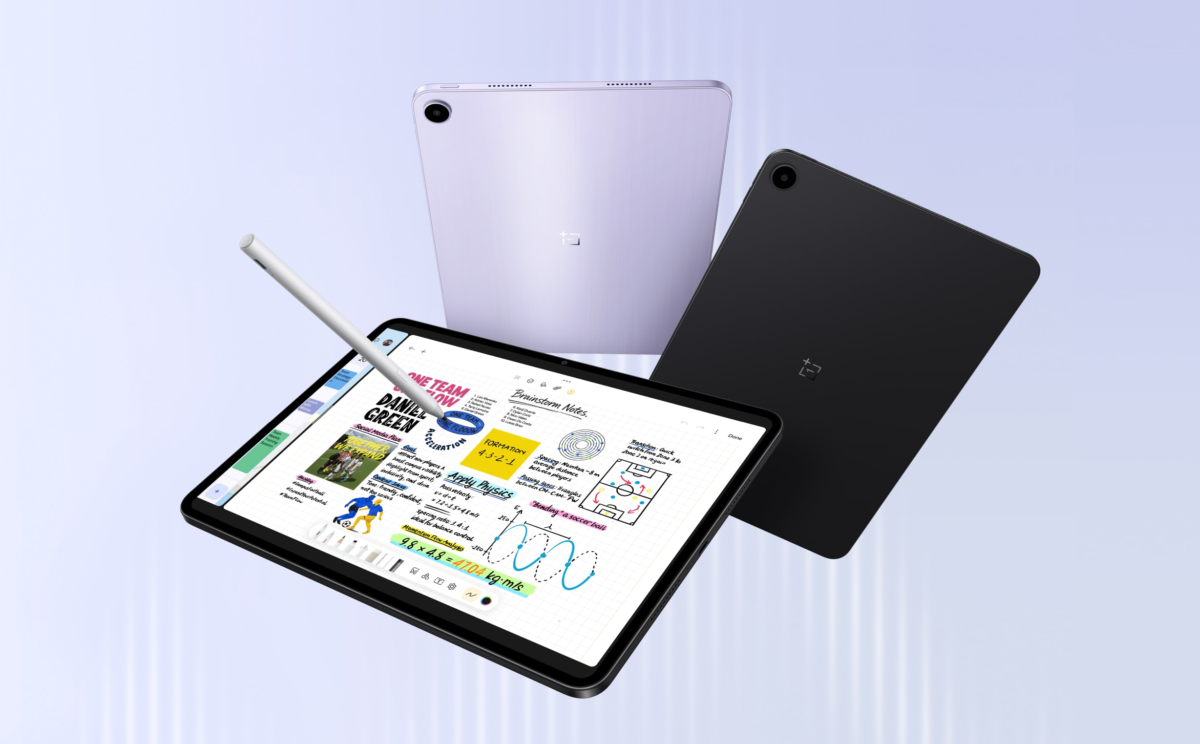
Stylus, notes, and AI features: what matters in real-life use
Pad Go 2 supports a stylus-driven workflow, and that usually means two things buyers care about: low friction note-taking and a writing feel that does not fight your hand. In real life, it comes down to whether the pen input is responsive, whether handwriting looks clean, and whether note apps feel reliable during long sessions. If you are a student or someone who prefers handwritten planning, stylus support can become the main reason a tablet earns its place in your bag.
OnePlus also mentions AI-powered features and integration with Google Gemini, but the only AI that matters is the kind that saves time: summarizing text, helping you structure notes, finding a key point faster, or improving wording in a draft message. These features can be genuinely useful, but they are also the most dependent on software polish, language support, and how well the tools are integrated into the apps you actually use.
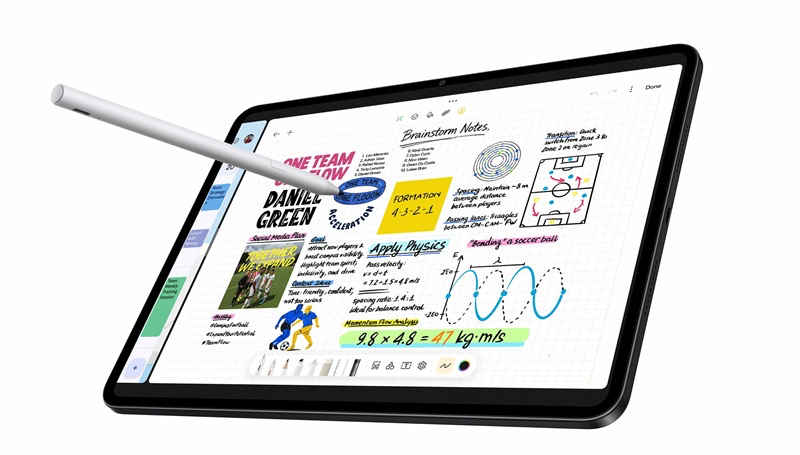
- Stylus workflows: notes, study, sketches, planning, and document markup.
- Handwriting improvement features: cleaner notes if the software is well tuned.
- AI and Gemini: useful when they speed up reading, writing, and searching.
- What to verify: latency, app support, language support, and overall stability.
Stylus and AI are the areas where marketing can outpace reality. The right approach is to treat the feature set as promising, then confirm the experience through independent testing and user feedback once the tablet is widely available.
Who the OnePlus Pad Go 2 is for and what to ask before you buy
Pad Go 2 makes the most sense for buyers who want a large, comfortable screen for reading, studying, and daily work, with enough battery headroom to stay unplugged. Its strengths are easy to describe: a tall 7:5 display, a smooth 120Hz feel, a large battery, and software that tries to make multitasking practical. If your tablet is mainly for movies and you want the widest cinematic screen, the 7:5 format is not optimized for that. If your tablet is mainly for documents and notes, it can be a real advantage.
Before buying, the smartest move is to verify the boring-but-important things: battery life with 120Hz enabled, heat under long workloads, outdoor readability, and how stable Open Canvas feels in the apps you rely on. Those details decide whether the tablet becomes a daily tool or a device you use only when the laptop is too heavy.
- Best for: students, readers, office users, PDF-heavy workflows, and note-takers.
- Check before buying: battery, heat, multitasking stability, and stylus availability in your region.
- Consider other options if: you need heavy editing, extreme gaming performance, or a movie-first display shape.
- How to decide: wait for independent reviews focused on your exact usage patterns.
As a global launch, OnePlus Pad Go 2 looks like a practical play for a price-sensitive tablet market that still wants a modern screen and usable multitasking. As a purchase, it will be judged by simple outcomes: is it comfortable to read and write on, does the battery last through a full day, does it stay cool enough, and does the 7:5 screen actually make split-screen work easier. Once independent reviews and real user reports arrive, this is the kind of tablet that can move from “interesting on paper” to “easy to recommend.”
Більше новин в телеграмі