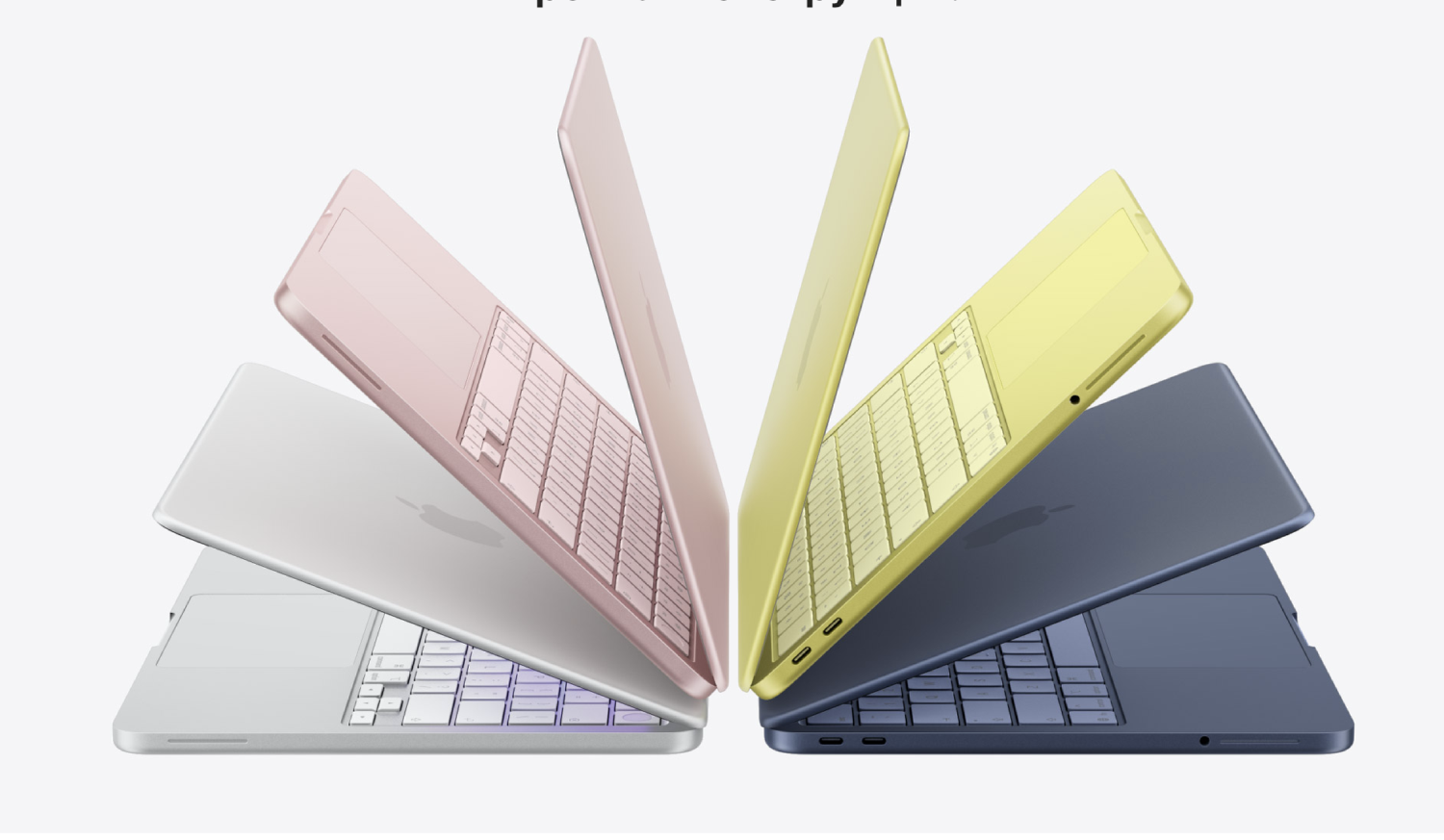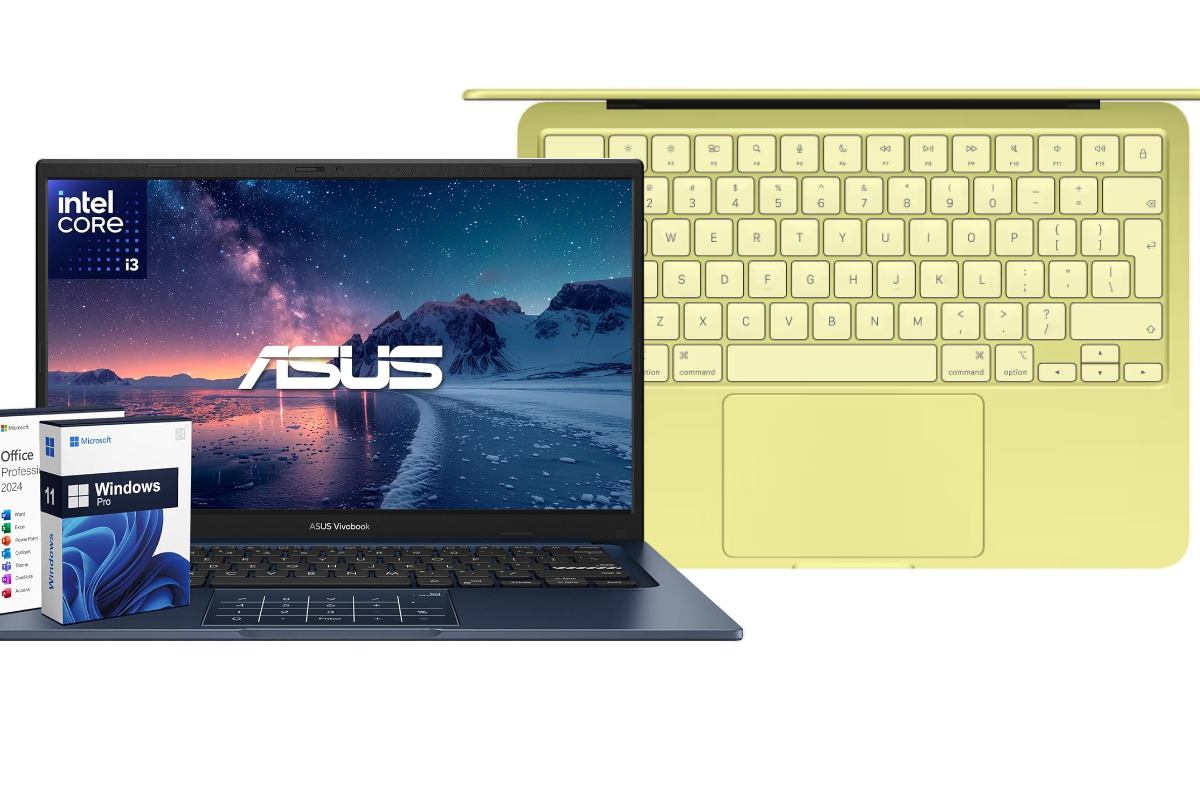
ASUS Vivobook on Intel vs MacBook Neo. Laptops priced at $599 are no longer just an “entry-level segment.” This is where a real battle between Windows and Mac begins — and the choice is no longer obvious. Especially when you’re comparing an ASUS Vivobook with 16GB of RAM and the new MacBook Neo powered by Apple A18 Pro.
On one side — more memory, more storage, and a familiar system. On the other — stability, battery life, and a completely different user experience. In this article, we break down which laptop actually delivers more for the money.
ASUS Vivobook Processor: Intel Core i3-1315U
The Intel Core i3-1315U is not an “old weak i3” as many people assume. It’s a modern 13th-generation processor with a hybrid architecture that has finally reached the entry-level segment. This architecture fundamentally changes how the laptop behaves in real-world use.
It has 6 cores, but they are not одинакові. Two performance cores handle demanding tasks such as loading heavy websites, editing photos, or running multiple applications. Four efficiency cores take care of background processes like the browser, messengers, and system tasks. This balance prevents the laptop from slowing down when many tabs are open.
The clock speed reaches up to 4.5 GHz, providing fast responsiveness in everyday tasks. Opening apps, switching between windows, working with documents — everything feels smooth. However, this is still a U-series processor, designed for energy efficiency rather than maximum performance.
The laptop handles office work, browsing, video playback, and even basic editing well. But under sustained heavy workloads — such as video rendering or complex projects — it begins to throttle to prevent overheating.
This is a versatile and stable option for daily use, but without headroom for professional workloads.
MacBook Neo Processor: Apple A18 Pro
The Apple A18 Pro represents a completely different approach. It’s not just a processor, but a full system on a chip (SoC), where CPU, GPU, neural engines, and memory work together as a unified system. This is what creates the “smoothness” Macs are known for.
It uses ARM architecture, fundamentally different from Intel. Instead of chasing high clock speeds, Apple focuses on efficiency. Every component is optimized for macOS, allowing the system to use resources much more intelligently.
The A18 Pro includes dedicated blocks for AI processing. Tasks like text handling, photo editing, voice processing, or working with neural networks are faster and more efficient. This is not a “future feature” — it’s already becoming standard.
In everyday use, this feels simple: the laptop is not just fast — it is consistently fast. Even under load, performance remains stable and predictable.
Another key factor is energy efficiency. Apple Silicon allows longer battery life without sacrificing performance. This is one of the reasons MacBooks often feel “faster,” even when specs seem modest.
In the end, A18 Pro is not about peak performance, but about stable, predictable performance and readiness for modern AI-driven tasks.
| Parameter | Intel Core i3-1315U (ASUS) | Apple A18 Pro (MacBook Neo) |
|---|---|---|
| Architecture | x86, hybrid (P-cores + E-cores) | ARM, system on a chip (SoC) |
| Core count | 6 cores (2 performance + 4 efficiency) | heterogeneous CPU architecture (performance + efficiency cores) |
| Threads | 8 threads | optimized architecture without focus on threads |
| Max frequency | up to 4.5 GHz | frequency is not the key metric |
| Cache | 10MB L3 | high-speed cache system |
| AI performance | limited, via CPU/GPU | dedicated Neural Engine |
| Energy efficiency | moderate (U-series) | very high |
| Thermals | possible throttling under load | stable without sharp drops |
| Real-world behavior | fast in short tasks, weaker in sustained loads | consistently fast in everyday tasks |
| Software compatibility | maximum (Windows) | limited to macOS ecosystem |
ASUS Vivobook Memory: 16GB DDR4
With ASUS Vivobook, everything is simple and practical. It comes with 16GB of DDR4 RAM — already beyond entry level and comfortable for most tasks.
This is traditional memory, separate from the processor. It’s not integrated into the chip like Apple’s solution, so access is slightly slower, but predictable. Windows uses RAM actively for caching, so more memory directly improves stability.
In real use, 16GB provides noticeable comfort. Dozens of browser tabs, multiple apps, Photoshop, light video editing — everything runs without slowdowns. You don’t have to think about resources.
Another advantage is longevity. Modern apps and browsers keep consuming more memory. 16GB ensures the system stays relevant for years.
This is a practical, stable solution with no surprises.
MacBook Neo Memory: 8GB Unified Memory
MacBook Neo uses unified memory — integrated directly into the chip and shared between CPU, GPU, and neural engines.
This is not just “less memory” — it’s a different approach.
Because memory is physically closer to the processor and has higher bandwidth, macOS uses it more efficiently. Data is not copied between CPU and GPU — everything works on the same pool. This reduces latency and improves performance.
However, 8GB on Mac is not equal to 8GB on Windows. For light tasks — browsing, documents, video — the system feels smooth and responsive.
But there is a limit. When memory runs out, macOS uses SSD as swap. While fast, it’s not the same as real RAM. Under heavy workloads — editing, large projects, many tabs — the system reaches its limits.
This is efficient, but without headroom.
| Parameter | ASUS Vivobook (16GB DDR4) | MacBook Neo (8GB Unified) |
|---|---|---|
| Memory size | 16GB | 8GB |
| Type | DDR4 | Unified Memory |
| Architecture | separate (CPU & GPU) | shared (CPU, GPU, AI) |
| Speed | standard | higher due to integration |
| Efficiency | depends on Windows/apps | high due to macOS optimization |
| Multitasking | stable under heavy load | comfortable up to a point |
| Heavy workloads | handles better | hits limits faster |
| Swap usage | less dependent | actively used |
| Future-proofing | high | limited |
| Real-world behavior | no need to think about RAM | requires load awareness |
If we’re honest:
- Mac feels smoother in light tasks;
- ASUS wins in heavier scenarios due to capacity.
This is the key difference:
Mac is optimization, ASUS is resource headroom.
Storage ASUS Vivobook: 1TB (512GB SSD + 500GB external)
ASUS takes a practical approach. You get a fast internal SSD and an additional external drive.
The main 512GB NVMe SSD handles system speed — booting Windows, launching apps, file operations. NVMe is significantly faster than traditional HDDs.
The extra 500GB external drive solves storage limitations. You can store videos, archives, backups without filling the system disk.
In real use, you don’t think about storage. You just work.
Storage MacBook Neo: 256GB SSD
MacBook Neo has a single 256GB internal SSD. It’s very fast, but limited in capacity.
256GB fills up quickly: system files, apps, updates, media.
Options include:
- using iCloud;
- external drives;
- managing storage constantly.
This creates a different workflow — you manage space instead of ignoring it.
| Parameter | ASUS Vivobook | MacBook Neo |
|---|---|---|
| Total storage | ~1TB | 256GB |
| Flexibility | high | limited |
| Large files | comfortable | restricted |
Display ASUS Vivobook: 14” Full HD
The ASUS Vivobook features a standard 14-inch Full HD display. This is a typical screen for laptops in this price segment — no major weaknesses, but no “wow effect” either.
The 1920×1080 resolution provides sufficient sharpness for working with text, spreadsheets, browsing, and video. Text is easy to read, eyes don’t get tired during long sessions, which is what matters most for everyday use.
The anti-glare coating is another advantage. It actually helps when working in daylight or near a window. The screen doesn’t turn into a mirror — something often underestimated.
However, there are limitations. Brightness and color reproduction are average. Compared to more expensive models, colors look less saturated and the image feels less vivid. The 60Hz refresh rate is also standard — smooth, but without any high-refresh-rate effect.
Overall, this is a practical display. It doesn’t get in the way, but it doesn’t add excitement either. Exactly what you expect from a $500 laptop.
Display MacBook Neo: 13” Liquid Retina
The MacBook Neo display is on a completely different level. Apple traditionally focuses on image quality, and even in a “budget” Mac, it’s noticeable.
The 2408×1506 resolution is significantly higher than Full HD. This means sharper text, more detailed images, and an overall cleaner picture. It’s especially noticeable when working with text or UI — your eyes get less strained.
Brightness up to 500 nits is another key factor. The screen remains readable even in bright environments, which is important if you don’t work only at home.
Support for a wide color gamut and up to a billion colors delivers richer and more accurate visuals. Photos, videos, and even simple interfaces look more “premium.”
And most importantly — the feeling. After switching from a basic Full HD display to Liquid Retina, the difference is immediately noticeable. It’s not just about specs — it’s about eye comfort.
Battery ASUS Vivobook: standard level without reserve
The ASUS Vivobook behaves like a typical Windows laptop. The battery isn’t small, but it’s not exceptional either — and Intel U-series processors still consume more power than ARM solutions.
In real use, it lasts about 5–8 hours. It depends on your workload. Browsing, documents, video — closer to the upper limit. Add heavier tasks like editing or multitasking — and battery life drops quickly.
There’s also an important detail. The laptop doesn’t just discharge — it requires planning. You think about where to charge it, carry the charger, monitor battery percentage.
This isn’t a flaw — it’s standard for Windows laptops. But it’s a different way of working.
Battery MacBook Neo: a different level of mobility
MacBook Neo is built on Apple Silicon, and that changes everything. ARM architecture consumes much less power, while macOS further optimizes every process.
Apple claims up to 16 hours of battery life, and this is not just marketing. In real use, the laptop can easily last a full working day without charging — and without performance drops.
You simply open the MacBook in the morning and work. No thinking about charging. No carrying adapters. No constant monitoring.
Another detail is stability. Even at low battery levels, Mac doesn’t slow down or limit performance. This is very noticeable compared to typical Windows laptops.
In the end, battery life here is not just a spec — it’s real freedom.
System Comparison
macOS uses fewer resources, remains stable under load and on battery, and is more optimized for its hardware. Windows offers maximum flexibility but with higher resource usage.
| Parameter | Windows 11 Pro | macOS |
|---|---|---|
| Compatibility | maximum | ecosystem-focused |
| Optimization | varies | high |
| Stability | good | high |
If you need maximum software compatibility and flexibility — ASUS is the better choice.
If you value battery life, stability, and consistent performance — MacBook Neo stands out.
Both laptops are in the same price range. The choice is not about budget, but about how you work.
More interesting articles
Більше новин в телеграмі