Airversa QliQ Smart Button: Physical Smart Home Control Without a Smartphone
Airversa QliQ is a new format for smart home management that brings back the ultimate sense of comfort: one-touch control. No smartphone, no voice commands, no unnecessary screens. Thanks to Thread support, USB-C charging, and three programmable buttons, this compact controller allows you to launch up to nine automation scenarios. We explore why Airversa QliQ could become one of the most convenient gadgets for the modern smart home.
Check Price and Availability
The Airversa QliQ is currently available as a single pack in a clean white finish, offering a premium Thread-enabled experience for the Apple Home ecosystem. Given its unique USB-C charging capability and triple-button design, it represents a solid long-term investment for any serious HomeKit setup.
Check Price of Airversa QliQ on Amazon
Note: Prices on Amazon may fluctuate based on current promotions and stock availability.
A Smart Button is a Small Gadget That Changes the Logic of Home Management
A smart button is that rare type of gadget that returns to the user a sense of direct control over space without the mediation of screens or voice.
Airversa QliQ is exactly such a device. It allows you to literally blindly control lights, sockets, curtains, climate, or automation scenarios with one physical press.
Instead of searching for the right app on your phone or waiting for a voice assistant’s response, you simply press a button — and the house reacts instantly.
A smart button is that rare type of gadget that returns to the user a sense of direct control over space without the mediation of screens or voice.
Airversa QliQ Smart Button: Controller Review with Thread and USB-C Discover
The Magic of the Airversa QliQ Physical Press
This is a cool gadget that will help you manage your entire home literally blindly, without being distracted by unlocking your smartphone or negotiating with an assistant.
It instantly transforms a chaotic set of smart lamps, sockets, and humidifiers into a compliant system that responds to a simple tactile click.
You just place such a remote on your bedside table, and it becomes your personal comfort control center within arm’s reach.
Instead of searching for the right app, you activate a complex “Goodnight” scenario with one motion, which saves time and keeps your focus on rest.
It is both a remote and a programmable trigger. Unlike a standard TV remote where each button has only one fixed function, a smart button works as a “hotkey” for your entire home.
How Scenario Activation Works
You set it up via an app (for example, Apple Home or Mi Home), where you bind a whole sequence of actions to a specific type of press.
- A single press turns on the main light.
- A double press launches the “Movie” scenario (curtains close, lamp brightness drops to 10%, backlight behind the monitor turns on).
- A long press launches the “I’m leaving home” scenario (all lights and sockets turn off, the air conditioner stops working).
Why It’s More Convenient Than a Phone
When you buy such a button, it becomes a compact physical control center. It can be glued under a table, placed by the bed, or fixed to a magnetic base near the exit. This is a cool gadget that will help you manage your home without wasting time unlocking a screen or waiting for a voice assistant to recognize your command. This is a fast, silent, and most reliable way to interact with smart devices.
Now that we’ve sorted out the philosophy of such gadgets, it’s time to look at Airversa QliQ — a device that finally makes the concept of physical control ideal.
When a Button Becomes a Professional Tool
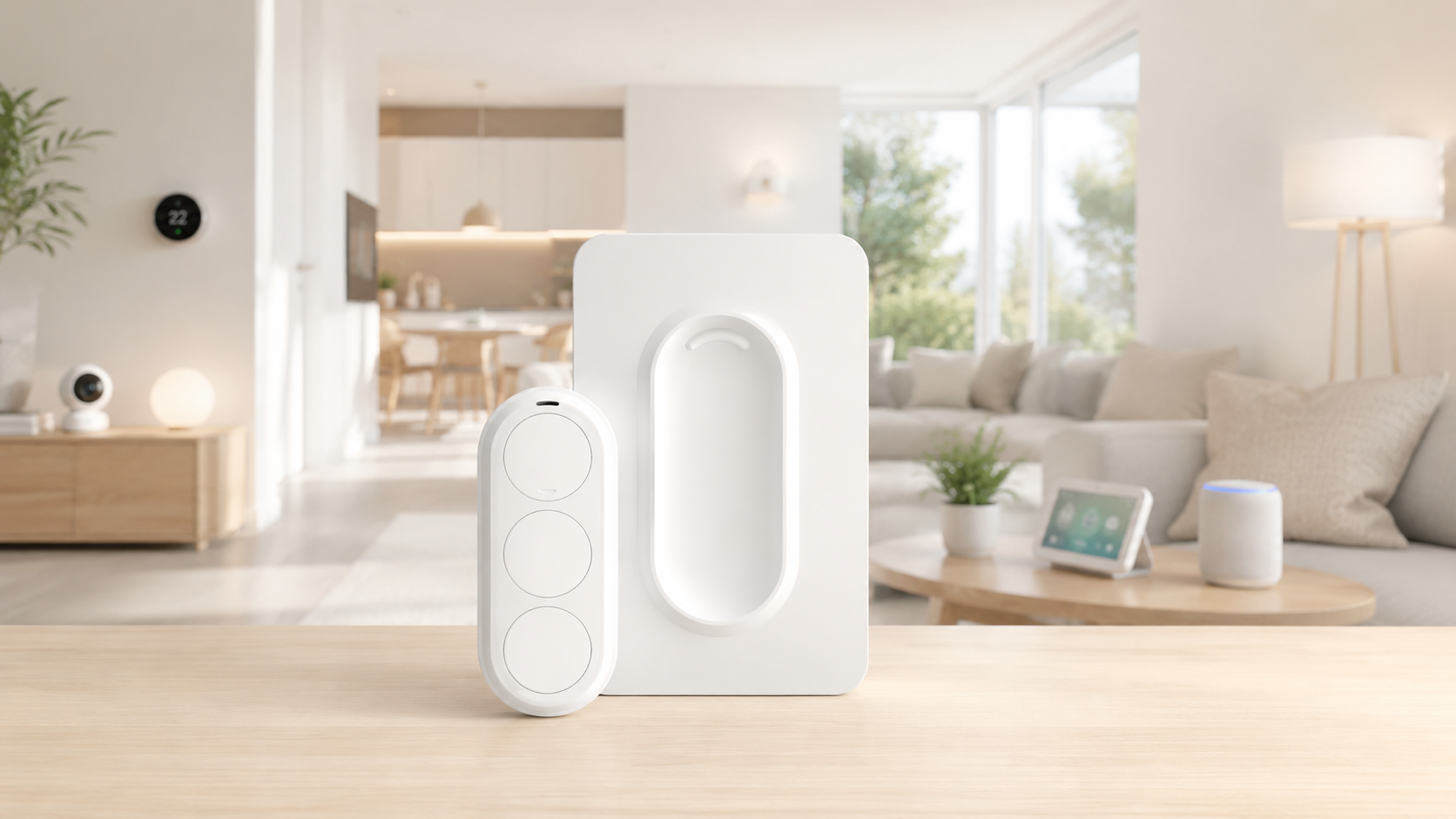
Airversa QliQ is not just another plastic accessory, but a thoughtful controller that offers three separate buttons on a single body.
In practice, this means you get nine different commands in a device the size of a matchbox, as each key recognizes three types of presses.
This allows you to declutter the interior. Instead of sticking three different buttons for lights, curtains, and music, you use one elegant block.
Such a density of functions transforms the gadget into a real control panel for your personal space, where every action has a clear tactile response.
The Technological Advantage of Thread and USB-C
The main “pain” of previous generation smart buttons was the coin-cell batteries that died at the most inconvenient moment, but QliQ solves this by using USB-C.
You simply plug in the cable once every few months, forgetting the need to disassemble the case or search for rare power elements in stores.
Thanks to Thread protocol support, the response speed of scenarios becomes almost instantaneous, completely removing the annoying delay between the click and the lamp’s action.
This is a cool gadget that will help you feel that the smart home works at the speed of your thought, rather than the speed of your Wi-Fi router.
Magnetic Freedom and Ergonomics
The device comes with a magnetic base that can be fixed to the wall, but the remote itself remains mobile and easily moves from the desk to the sofa.
The buttons have a pleasant travel to the touch, and their layout allows you to manage automations even blindly, when you’ve just woken up and don’t want to open your eyes.
The design is executed in a minimalistic style, so it looks equally appropriate in a modern office or on a wooden bedside table in the bedroom.
Ultimately, Airversa QliQ proves that physical control can be much more technological and convenient than any apps.
Comparison of Capabilities and Limitations
| Advantages (Pros) | Disadvantages (Cons) |
| USB-C Charging: No more searching for rare coin-cell batteries. | Apple Home Dependency: Full functionality is primarily available in the Apple ecosystem. |
| Thread Support: Almost instant reaction and high energy efficiency. | Price: Costs more than simple Zigbee or Bluetooth analogs. |
| 9 Scenarios in One: Three buttons with three types of presses for each. | Dimensions: Slightly larger than miniature single-button sensors. |
| Magnetic Mounting: Can be easily removed from the base and taken to the sofa. | No Power Brick: Only the cable is included; you’ll have to find your own adapter. |
| Tactile Feedback: Clear click that eliminates false triggers. | Color Limitations: Design is laconic, but the choice of body colors is usually limited. |
This is a cool gadget that will help you manage your home, and although most of these models do not yet have USB-C like Airversa, they are the foundation of the modern smart home.
Some links in this article are affiliate links. This means we may earn a small commission if you purchase through them, at no additional cost to you.
Більше новин в телеграмі