Local AI: Microsoft Copilot+ vs. Apple Intelligence. Which One is Actually Smarter?
The artificial intelligence boom has officially entered its next phase: neural networks no longer live exclusively in the cloud; they run natively on our laptops. The ultimate battle for on-device AI dominance is playing out between Microsoft Copilot+ and Apple Intelligence. Both tech giants promise absolute privacy, offline functionality, and a radical shift in how we interact with our computers.
But which approach delivers a better real-world experience, and who is actually winning this high-stakes tech race? Let’s dive into the details.
Brand Philosophies: Total Context vs. Deep Ecosystem Integration
While the goal of both systems is to automate your workflow, Microsoft and Apple have approached on-device AI from fundamentally opposing directions.
- Microsoft Copilot+ (The “All-Seeing Eye” Approach): Microsoft is betting heavily on total context. Through its flagship Recall feature, the system constantly snapshots and indexes everything you do on your PC. It understands what you looked at in Chrome, a WhatsApp chat, Photoshop, or a Word document. This grants Copilot+ an incredible global memory, but it demands hefty hardware specs (40+ NPU TOPS) and has sparked significant privacy debates.
- Apple Intelligence (The “Contextual Assistant” Approach): Apple chose surgical integration and semantic understanding over screen recording. It doesn’t take screenshots. Instead, it analyzes the underlying data structures and relationships across native apps: reading context from Mail, Notes, Messages, Calendar, and Photos to build an on-device personal semantic index.
Feature Showdown: Head-to-Head Comparison
To see which assistant actually makes daily life easier, let’s look at how they handle identical real-world tasks.
1. Searching Your Past: Recall vs. Apple’s Personal Context
Microsoft (Recall): The undisputed leader in sheer scale. If you remember seeing a specific obscure shoe design or a random text string in a chat three weeks ago, Recall will pinpoint it instantly. It treats your entire digital history as a searchable database.
Apple Personal Context: More subtle and privacy-centric. You can’t visually rewind your screen, but you can ask Siri: “When does my mom’s flight land, and where are we having dinner?” Apple Intelligence will scan your airline confirmation emails, pull the restaurant name from your Messages, cross-reference it with Calendar, and present a single, cohesive answer.
2. Text Processing and System-Wide Writing Tools
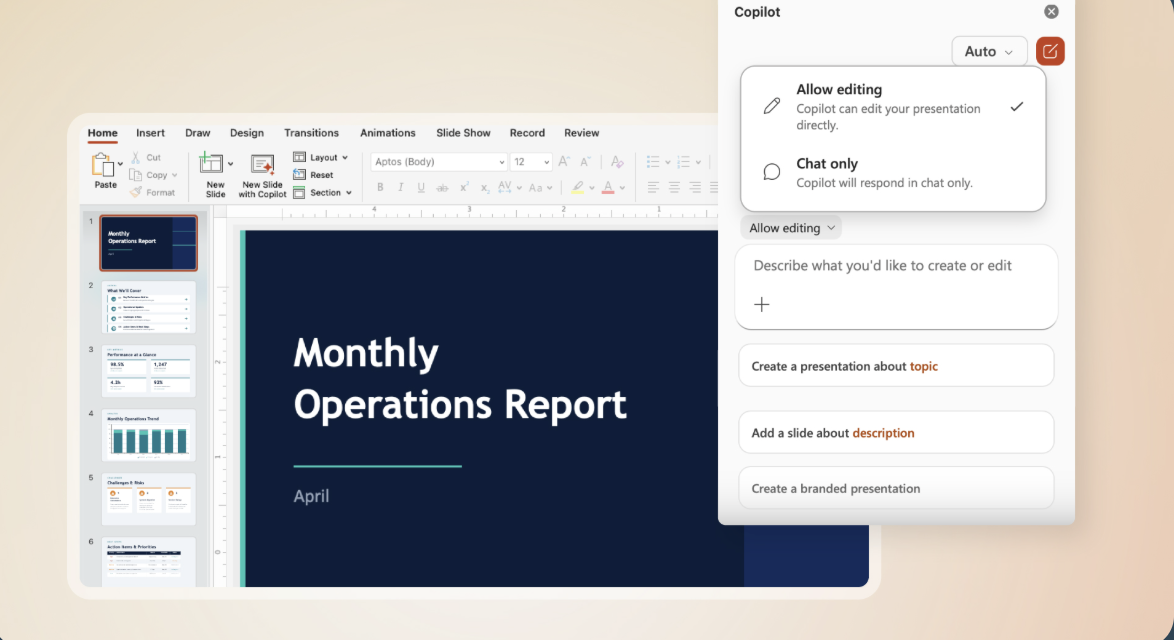
Microsoft (Phi Silica): The built-in small language model (SLM) does a fantastic job with summarization and rewriting inside Notepad and native apps. However, it often feels like an additive tool—you manually select text, invoke Copilot, and wait for the overlay to process it.
Apple (Writing Tools): Baked deeply into the core architecture of macOS. It is universally accessible in any text field across the operating system. Beyond basic proofreading and tone adjustment, Apple’s implementation excels at auto-formatting raw text into clean tables or bulleted lists, and its Smart Reply in Mail actively extracts key questions from incoming threads to draft instant responses.
3. On-Device Creativity and Graphics
Microsoft (Cocreator): Embedded into Paint, this is a powerful local text-to-image and image-to-image generator. It watches your crude mouse or stylus sketches in real time and uses diffusion models to transform them into high-quality digital artwork.
Apple (Image Wand & Genmoji): Tailored strictly for daily communication and visual expression. With Image Wand, a rough sketch in Notes becomes a polished inline illustration. Features like Genmoji let you generate completely custom emojis on the fly directly from the keyboard during a conversation.
The Hardware Catch: TOPS vs. Unified Memory
The underlying hardware requirements reveal a fascinating divergence in engineering.
Microsoft has issued a strict hardware ultimatum: to experience Copilot+ features, your PC must pack a dedicated NPU delivering 40+ TOPS (found in Qualcomm Snapdragon X, Intel Lunar Lake, or AMD Strix Point architectures). If you bought a high-end Core Ultra or Ryzen laptop just prior to this rollout, you are locked out of native local AI features.
Apple, conversely, leveraged its tight vertical integration. Because they design both the silicon and the OS, Apple Intelligence scales across the entire M-series ecosystem (M1, M2, M3, and M4). Even a base M1 chip—which outputs a modest 11 NPU TOPS—runs Apple’s local models smoothly. The secret lies in Apple Silicon’s ultra-fast Unified Memory Architecture (UMA), which allows the CPU, GPU, and Neural Engine to access the AI model instantly without data-shuffling bottlenecks.
Comparison Table: Copilot+ vs. Apple Intelligence
| Feature / Criterion | Microsoft Copilot+ PC | Apple Intelligence |
|---|---|---|
| Minimum Hardware | Next-gen NPUs (Snapdragon X, Lunar Lake, Strix Point) with 40+ TOPS | Any Mac equipped with an M1 chip or newer |
| Global System Memory | Yes (Recall) — continuous timeline screen indexing | No — strictly analyzes local application data and metadata |
| OS Integration | Moderate (mostly operates through dedicated apps and panels) | Deeply rooted (woven into system text engines, Siri, and notifications) |
| Text Capabilities | Local summaries, rewrite overlays in Notepad | System-wide Writing Tools, smart email summaries, and replies |
| On-Device Image Gen | Real-time diffusion in Paint (Cocreator) | Genmoji, Image Playground, and Notes Image Wand |
The Third Way: Truly Open Local Alternatives
For power users who refuse to be boxed into Microsoft’s or Apple’s corporate default architectures, the desktop ecosystem offers complete freedom via open-source tools:
- LM Studio & Ollama: Free, lightweight developer environments available for both macOS and Windows. They allow you to download cutting-edge open-source models—like Meta’s Llama 3.1 or Google’s Gemma 2—directly to your local drive. You get a 100% private, zero-data-leakage alternative to ChatGPT that works flawlessly without a web connection. If you need other models, check out our dedicated guide on the best AI models to choose for Mac.
- NVIDIA ChatRTX: The go-to solution for Windows users with dedicated graphics…
The Verdict: Who Wins the On-Device AI Battle?
As it stands today, Microsoft Copilot+ is the more aggressive, powerful analytical tool. Recall is a revolutionary piece of software for data-heavy professionals who need to manage massive amounts of chaotic information, provided they are comfortable with its pervasive indexing nature.
Apple Intelligence wins on elegance, user friction, and battery efficiency. It avoids the “Big Brother” privacy anxiety by relying on structured data rather than raw screen recording, and it works quietly in the background to streamline daily cognitive load (notifications, emails, and quick notes). Furthermore, Apple’s ability to run these models on legacy M1 hardware makes it far more accessible to the average consumer without forcing an immediate hardware upgrade cycle.
Summary: Choose Microsoft Copilot+ if you want an absolute, unfiltered digital memory and your workload relies heavily on cross-referencing legacy web and chat data. Choose Apple Intelligence if you prefer a seamless, highly optimized, and deeply private assistant woven into your existing Apple ecosystem hardware.
Більше новин в телеграмі