Xiaomi has started rolling out stable HyperOS 4, built on Android 17: since October 15, flagships in China have been receiving it in stages. Below is the schedule for each model, plus what to expect if you live outside the Chinese market.
What has happened so far, and what it means for you
Xiaomi confirmed on its community forum that internal beta recruitment closed on October 14, and stable builds began reaching the first devices the very next day. For now, that applies to China only. The company hasn’t announced a stable timeline for the rest of the world, although the global beta program is already running.
The first wave: 12 devices
The first to get the update are every version of the Xiaomi 17 (Ultra, Ultra Satellite Edition, Pro Max, Pro, and the standard model), the foldable Xiaomi Mix Flip 2, four Redmi K90 models (Pro Max, Pro, Pro Lamborghini Edition, and the regular K90), and the Xiaomi Pad 8 and Pad 8 Pro tablets.
Does “China first” mean a long wait?
Not necessarily. Xiaomi’s international releases usually start a few weeks after the Chinese one, so a global wave could plausibly begin in late October or November. That’s an educated guess based on past years, not an official date.
The full schedule for phones and tablets
The table below follows Xiaomi’s schedule for China. We left out TVs, speakers, and smartwatches, since this article is about phones and tablets.
| When | Smartphones | Tablets |
|---|---|---|
| From October 15 (already underway) | Xiaomi 17 Ultra, Xiaomi 17 Ultra Satellite Edition, Xiaomi 17 Pro Max, Xiaomi 17 Pro, Xiaomi 17, Xiaomi Mix Flip 2, Redmi K90 Pro Max, Redmi K90 Pro, Redmi K90 Pro Lamborghini Edition, Redmi K90 | Xiaomi Pad 8 Pro, Xiaomi Pad 8 |
| By October 31 | Xiaomi 16 Ultra, Xiaomi 16 Pro, Xiaomi 16, Redmi K80 Pro, Redmi K80 Extreme Edition, Redmi Turbo 4 Pro, Redmi Turbo 4 | Xiaomi Pad 7 Ultra |
| By November 15 | Xiaomi 15 Pro, Xiaomi 15 Pro Titanium Edition, Xiaomi 15 Ultra, Xiaomi 15S Pro, Xiaomi 15, Xiaomi 14 Ultra, Xiaomi MIX Fold 4, Redmi K80, Redmi K80 Pro Champion Edition, Redmi K70 Extreme Edition, Redmi K70, Redmi Turbo 3, Redmi Turbo 3 Harry Potter Edition | Xiaomi Pad 7S Pro, Xiaomi Pad 7 Pro, Xiaomi Pad 7 Max, Xiaomi Pad 7, Redmi Pad Pro |
| By November 30 | Xiaomi MIX Flip, Xiaomi Civi 5 Pro, Redmi K70 Pro, Redmi Note 15 Pro+, Redmi Note 15 | Redmi Pad Pro 5G, Redmi Pad 2, Redmi Pad 2 Explorer Edition, Redmi Pad 2 5G |
| December 2026 | Xiaomi 14 Pro, Xiaomi 14 Pro Titanium Edition, Xiaomi 14 Pro Satellite Edition, Xiaomi 14, Xiaomi MIX Fold 3, Xiaomi 13 Ultra, Xiaomi 13 Pro, Xiaomi 13, Xiaomi 14 Civi, Xiaomi Civi 4 Pro, Xiaomi 13 Limited Edition, Redmi K70E, Redmi Note 14 Pro+, Redmi Note 14 Pro, Redmi Note 14 5G, Redmi K60 Extreme Edition, Redmi Note 13 Pro+, Redmi Note 13 Pro, Redmi Note 13 5G, Redmi Note 13R Pro, Redmi Note 13R, Redmi 14R 5G, Redmi 14C 5G, Redmi 13R 5G, Redmi 13 5G, Redmi 13C 5G | Xiaomi Pad 6S Pro 12.4, Xiaomi Pad 6 Max 14, Redmi Pad SE 8.7 4G, Redmi Pad SE |
Why this schedule differs from what you may have read elsewhere
Some simplified write-ups claim that the Xiaomi 15 and Redmi K80 get the update in November, while the Xiaomi 14 and Redmi K70 wait until December. The real picture is more detailed: the Xiaomi 16 series gets it as early as the end of October, the Xiaomi 14 Ultra and Redmi K70 are in the November wave, and only the standard Xiaomi 14 has to wait for December. If your model is in the table, go by the table.
Who shouldn’t wait for the update
Some phones have already used up their guaranteed update allowance, and HyperOS 4 won’t reach them. These include the Xiaomi 12S Pro and the Redmi Note 12. For models that aren’t in the table, such as the POCO lineup, the Chinese schedule doesn’t apply, and you’ll need to watch for a future global timeline.
What’s interesting about HyperOS 4
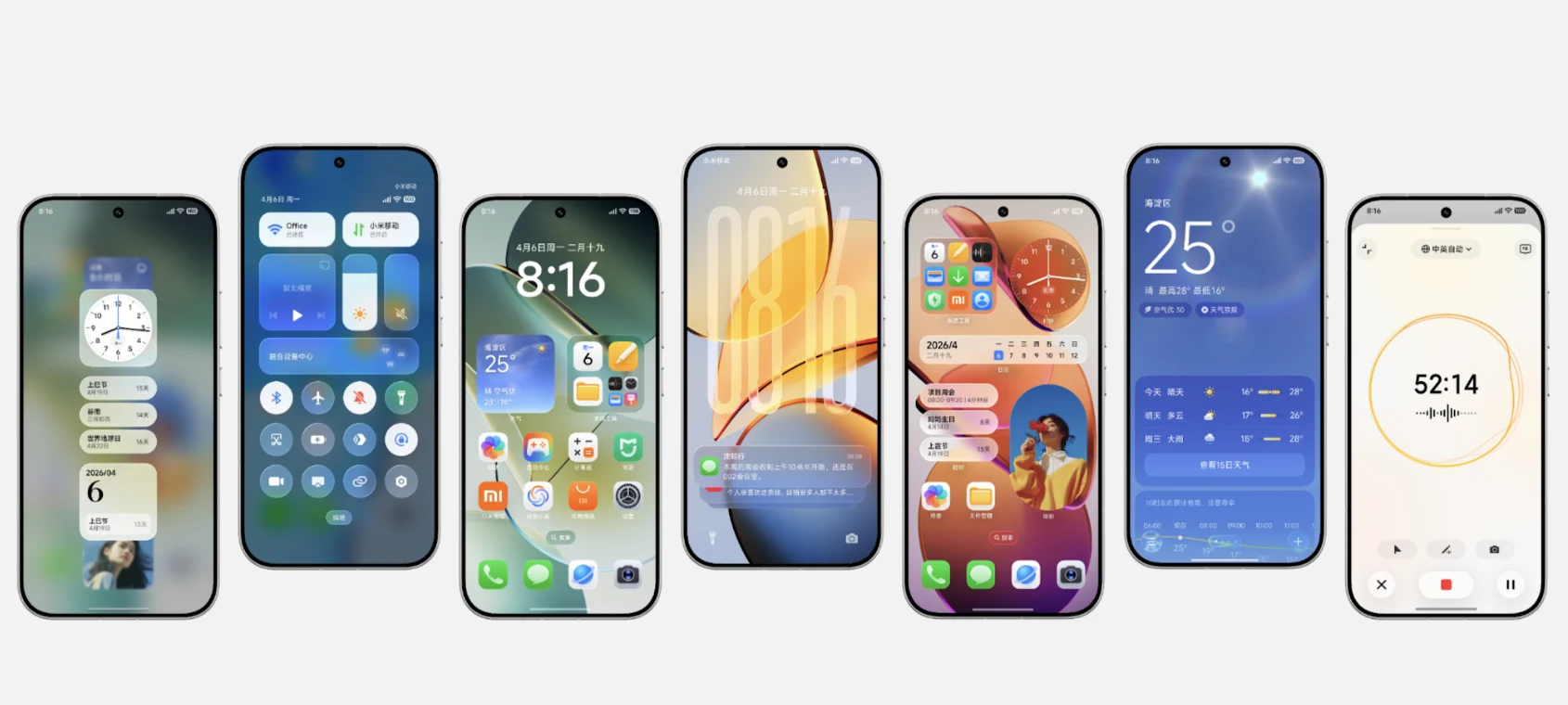
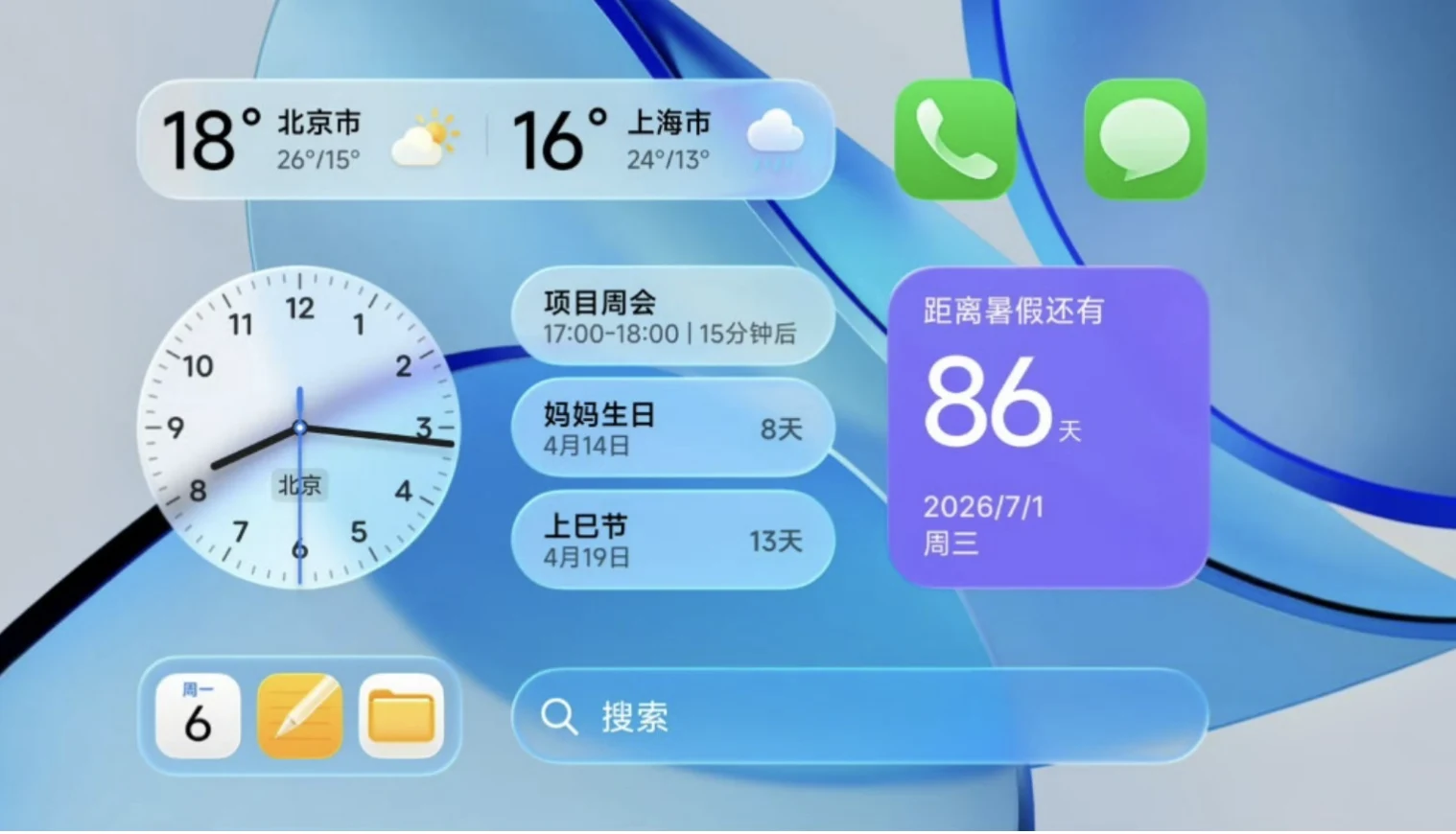
After the update, a Xiaomi phone will look different: the interface turns translucent and glassy, and lock screen notifications fold into a tidy stack. Behind the new look sits a rebuilt voice assistant running on the company’s own language model, plus a system that loads your favorite apps into memory before you even open them. Here is what that changes in daily use.
The Soft Light Glass interface
The most visible change is the new visual style. Translucent layers, light refraction, and blur effects appear on the lock screen, home screen, icons, Control Center, folders, and widgets. There’s a catch, though: the full version of the effect needs powerful hardware. The deepest integration is aimed at phones with the Snapdragon 8 Elite, Dimensity 9500, Xring O1, or newer flagship chips. Other devices get the effect too, just in a simpler form.
A lock screen without the card clutter
Notifications now collapse into a vertical stack instead of separate cards that used to fill half the screen. The clock can be stretched, resized, and moved around. It’s a small thing, but it’s the kind of small thing we look at dozens of times a day.
Super XiaoAi 2.0 and the Inspiration Ball
The updated voice assistant runs on Xiaomi’s own MiMo V2.5 language model. It remembers context better, can carry out actions across apps, and understands what’s happening on your screen. A separate new feature, the Inspiration Ball, works much like Google’s Circle to Search. It analyzes what’s on screen and suggests what to do with it: plot a route on the map, create a calendar entry, or find a product to buy. You can, for example, point at a phone number and ask it to call.
Speed: what Xiaomi promises
The system uses AI to preload the things you use most into memory ahead of time. On top of that, the updated HyperCore engine cuts redundant CPU instructions by about 14.4% compared with HyperOS 3, and HDR photo processing now takes 240 ms instead of 310 ms. The company also claims lower memory demands and better battery life. These are the manufacturer’s claims, so firm conclusions will have to wait for independent tests.
Syncing two phones
If you own two Xiaomi devices, notifications can be mirrored from one to the other. The receiving phone must run HyperOS 4, while the sending phone can stay on HyperOS 3, so you don’t have to update both at once.
How to tell if the update has arrived
Open Settings, go to About phone, and tap the system version to check for updates. Menu placement may vary depending on your firmware version. The update arrives in waves, so even if your model is on the list, the notification may not show up right away.
Більше новин в телеграмі