Why OriginOS was an unexpected surprise for me
I’ve been using iOS for many years. For me, it has always been the most stable and the smoothest mobile operating system. Even my iPhone 15 with its 60 Hz display feels more consistent than many Android phones running at 120 Hz. This created a strong belief: when it comes to gesture responsiveness, instant UI reactions, and overall fluidity, iOS simply has no real competitors.
That’s why OriginOS became such a surprise.
Not because of big marketing claims, but because of practical changes: fast app launches, stable animations, precise touch response, and multitasking that finally stops being a weak point for Android. Vivo says the system can keep up to 47 apps running in the background — and while most people will never need that many, it still shows deeper memory optimization.
TechRadar points out one key thing: vivo optimized the system in a holistic way, reworking the CPU pipeline, memory management, and display subsystem through the new Origin Smooth Engine. This is what creates real fluidity, not just nice numbers on a slide.
How the Origin Smooth Engine works
Faster app launches
According to vivo, cold app launches are now about 18.5% faster. And even without chasing numbers, the difference is noticeable. Apps open cleanly, without frame drops or hesitation between a gesture and the UI appearing.
This matters on Android, because the moment of first launch is often where the platform feels less consistent.
Memory optimization and multitasking
The important part isn’t the “47 apps” figure — it’s the behavior of the system itself.
OriginOS truly doesn’t reload background apps unless absolutely necessary. This eliminates the familiar Android frustration where an app “starts from scratch” after a few idle minutes. Switching between windows feels almost instantaneous.
Smooth animations and touch response
The smoothness in OriginOS is not about refresh rate — it’s about frame stability. Every movement looks polished: opening menus, swiping between screens, navigating settings. The delay between your gesture and the system’s reaction is reduced to a point where it feels surprisingly close to iOS.
Updated design and visual logic
Vivo refreshed the UI to make it lighter, more modern, and more pleasant to use day-to-day. A new typeface, adjusted proportions, softer transitions — together they create a coherent, polished visual identity.
And now — my subjective observation
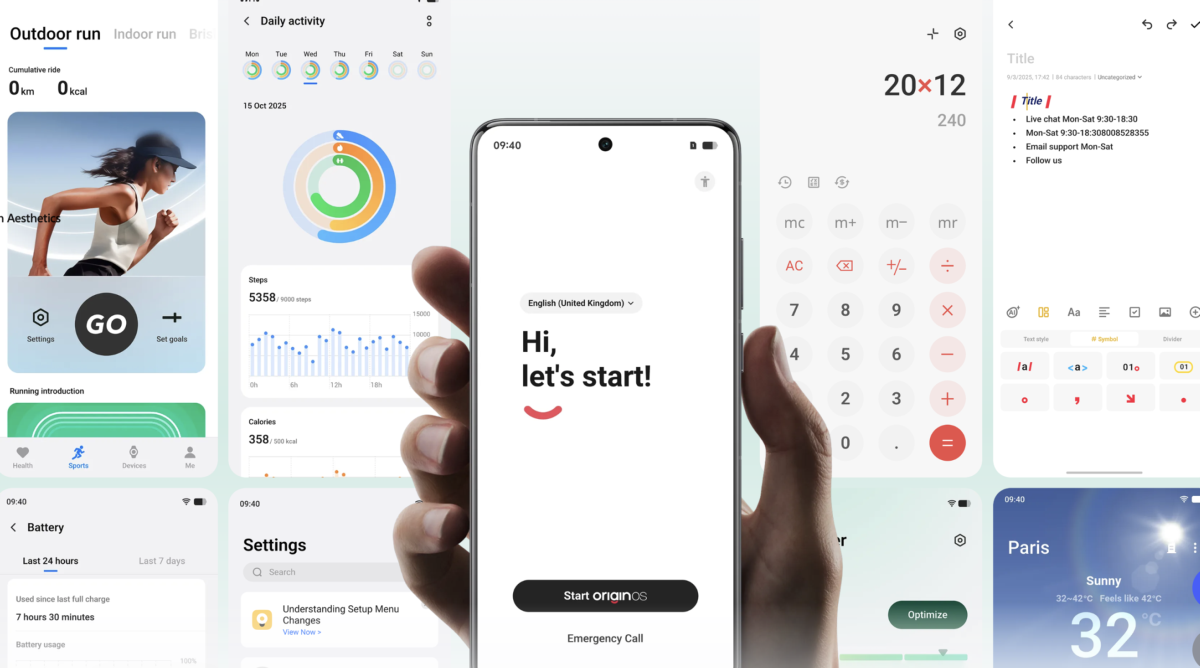
Origin Smooth Engine / Image source: vivo.com
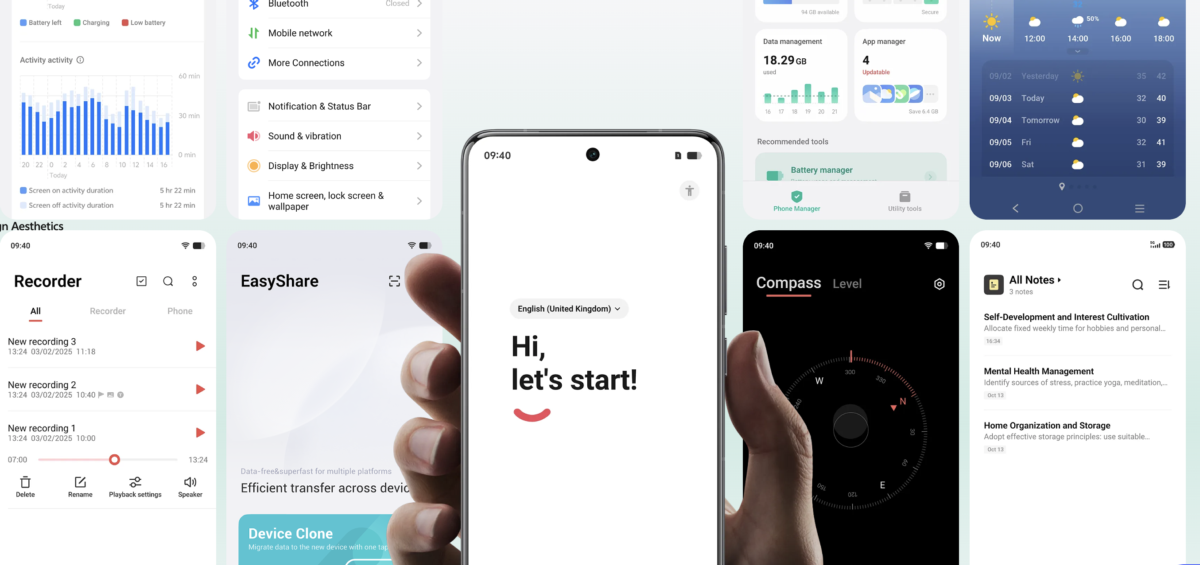
Origin Smooth Engine / Image source: vivo.com
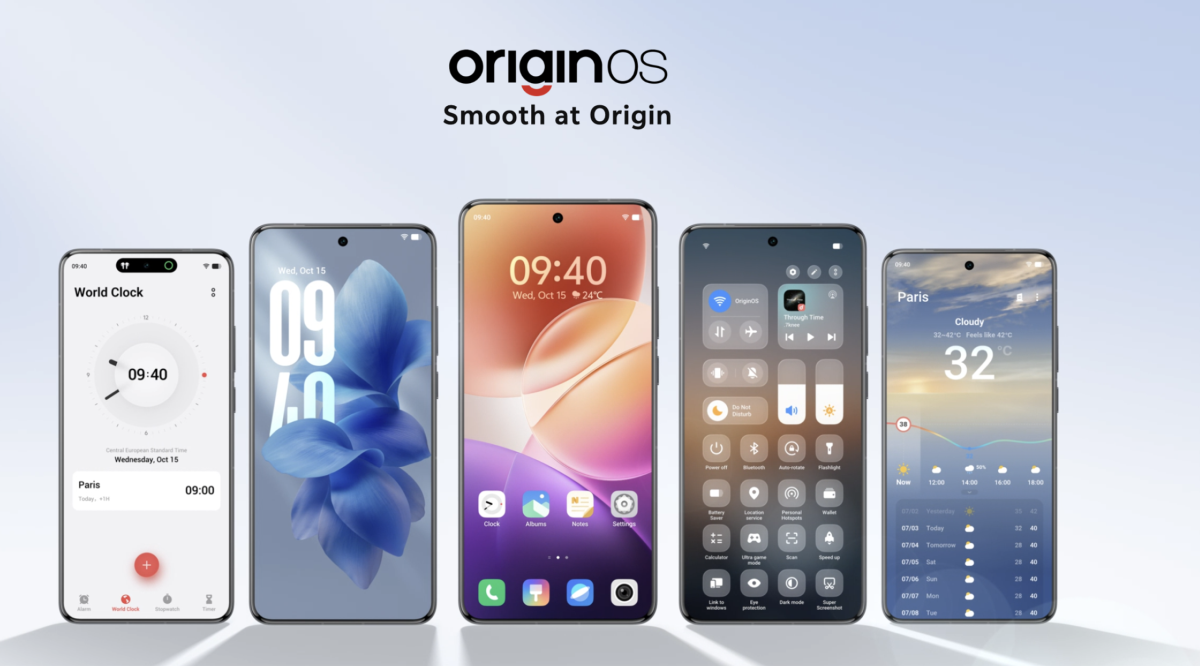
OriginOS looks extremely similar to iOS 26 — and you notice it immediately.
Here are a few specific examples:
- The clock widget on the home screen is almost identical to Apple’s.
- The Weather app — its cards, colors, and layout — closely mimics iOS.
- The Notes app visually mirrors Apple Notes, even though the gesture logic and text selection still feel less polished.
- Fitness / health / activity elements are very recognizably Apple-style.
- The Settings menu borrows many proportions and layout ideas.
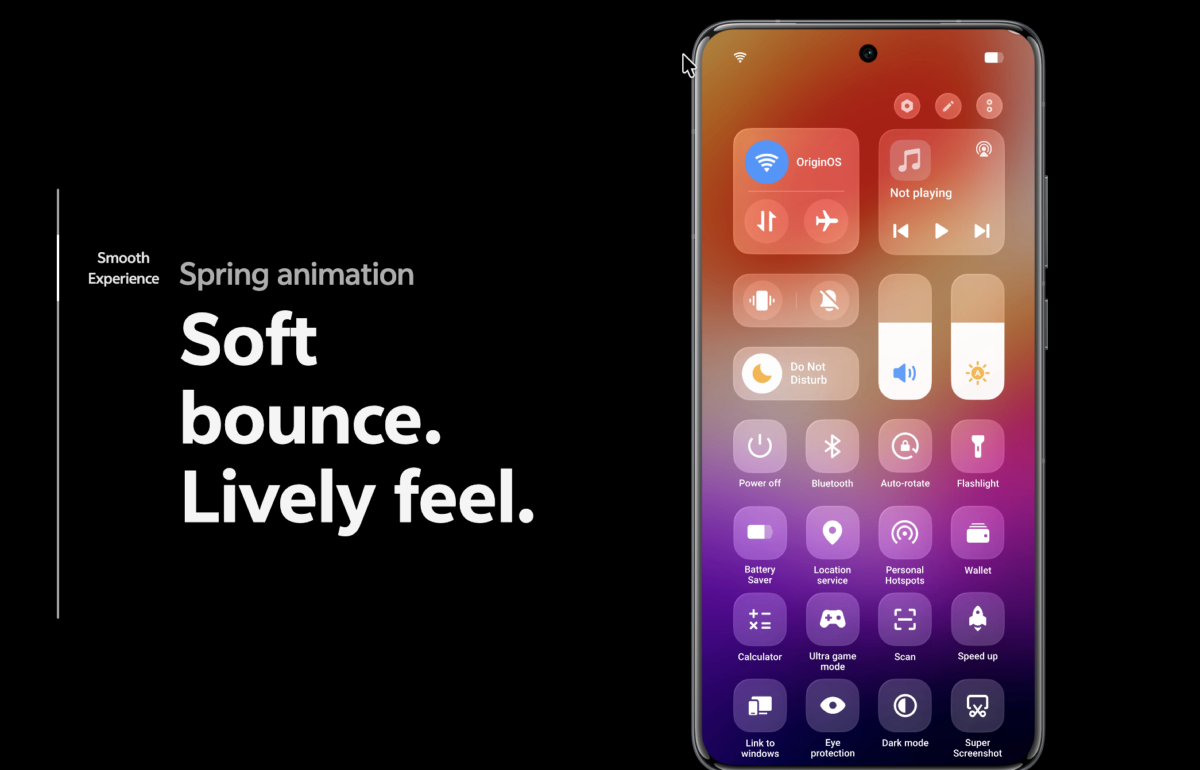
Origin Smooth Engine / Image source: vivo.com
The notification shade is also nearly identical to iOS — the transparency, shadows, grouping logic, and overall structure.
And the Dynamic Island? It’s a copy. Not an interpretation, not an adaptation — a direct replication of both the idea and the visual execution.
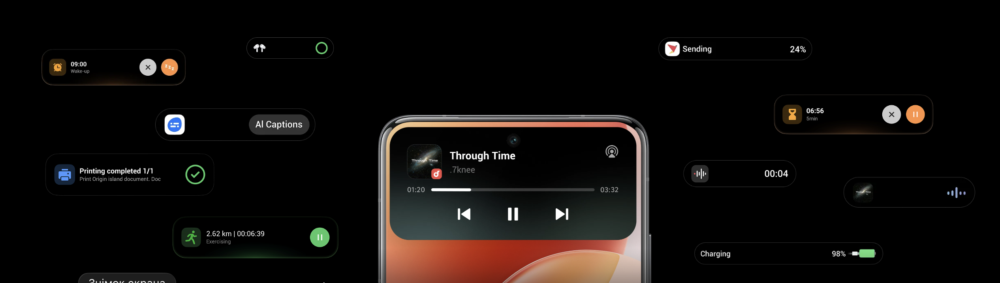
Origin Smooth Engine / Image source: vivo.com
And this is where a certain disconnect appears.
Yes, the system is fast. Yes, OriginOS is one of the smoothest Android skins I’ve ever used. But visually, it feels like vivo wasn’t creating its own identity — it was building “its version of Apple.”
Smart features and content handling
OriginOS adds useful AI tools, easier image and text copying, drag-and-drop between windows, and quick actions for multitasking.
Listen Instead of Scroll
Modern smartphones are not only about apps and multitasking. Many users now use them to learn while commuting, walking, or exercising.
My honest impression
OriginOS works.
And it works well — fast, smooth, stable, responsive. In terms of performance and consistency, it genuinely gets close to iOS, which is a significant achievement. But visually, it feels like a replica. And at some point, you stop thinking about Android improving — and start thinking that vivo is trying to be Apple.
My conclusion
A system should be itself — not someone else’s DNA. Especially when it comes to UI design, where every detail builds the brand’s identity.
OriginOS is fast. It is smooth. It is technically impressive.
But it lacks originality.
And that’s a pity — because vivo clearly has the potential.
Більше новин в телеграмі