Wearing Pants Over Your Head, or Why Your iPad Will Never Become a MacBook (and That’s Great)
No matter how hard we try to turn an iPad into a laptop, we eventually hit a wall. It’s the wall of mobile apps, a restricted file system, and an interface designed for fingers, not a cursor. Let’s be honest: most of the time, it’s much easier to just open a Mac and get everything done in two minutes than to get frustrated trying to “wear your pants over your head” on a tablet.
The iPad has its own incredibly cool strengths. But it is not a Mac. And it never will be. Because it is designed for entirely different tasks. The release of the new MacBook Neo for $599 has finally settled the matter once and for all. It’s as if Apple said to us: “Stop torturing the tablet; here is an affordable tool for work, and leave the iPad for the soul.”
The “Pro” Illusion: Why Have We Been Deluding Ourselves for So Long?
We’ve all seen those presentations. They show us an artist on a mountaintop editing 4K video on an iPad Pro. It looks epic. But they don’t show him cursing while trying to transfer that video from a flash drive that the system suddenly “doesn’t see,” or how he suffers trying to do a basic color grade in an app where half the features of the desktop version are simply missing.
We buy an iPad Pro for a thousand dollars, throw in a Magic Keyboard for three hundred, and an Apple Pencil… As a result, we have a “construction set” in our bag that weighs as much as a MacBook Air and costs more than a MacBook Pro, yet still runs on a mobile OS. This is exactly what “wearing pants over your head” looks like. We spend a lot of money to get an *imitation* of a workflow.
MacBook Neo — The End of the Era of Compromises
When the MacBook Neo appeared, many asked: “Why do we need it if there is an iPad?” The answer lies in the price and the intended purpose. For $599, you get full-fledged macOS. This means proper windows, proper file management, a terminal (if you need it), and any professional software without “mobile” limitations.
Previously, the choice was painful: either an expensive iPad or an even more expensive MacBook. Now, the formula has changed. Instead of buying one “ultra-super-duper” 13″ iPad Pro that tries to be everything at once, you can get a MacBook Neo for work and a basic iPad or iPad mini for creativity. It will cost the same, but your efficiency will increase tenfold.
The Rule of Context: When a Tablet is King, and When It’s a Burden
To avoid frustration, one must clearly distinguish: what we are doing and where. Productivity in 2026 is not about a single device; it’s about the right tool for the task.
- iPad — a device for consumption and the “spark.” Its strength lies in mobility and tactility. Reading an article, sketching with a pencil, checking email in bed, watching a movie on a plane. It’s a device for “entering” information. Here, it has no equal. The iPad screen is the best thing you can look at. But as soon as you need to create a complex structure from that information—you hit a wall.
- MacBook — a device for implementation and Deep Work. If a task takes more than an hour—close the iPad. Don’t try to squeeze the impossible out of it. Open the Neo. Here you have a keyboard where you can blind-type thousands of words. Here you have a trackpad that allows you to select text with character-level precision rather than “aiming” your finger at the screen. Here, you are the master of the process, not a hostage to the OS limitations.
The Psychology of “Two Devices”
Do you know what the best part of this approach is? You stop being angry at your iPad.
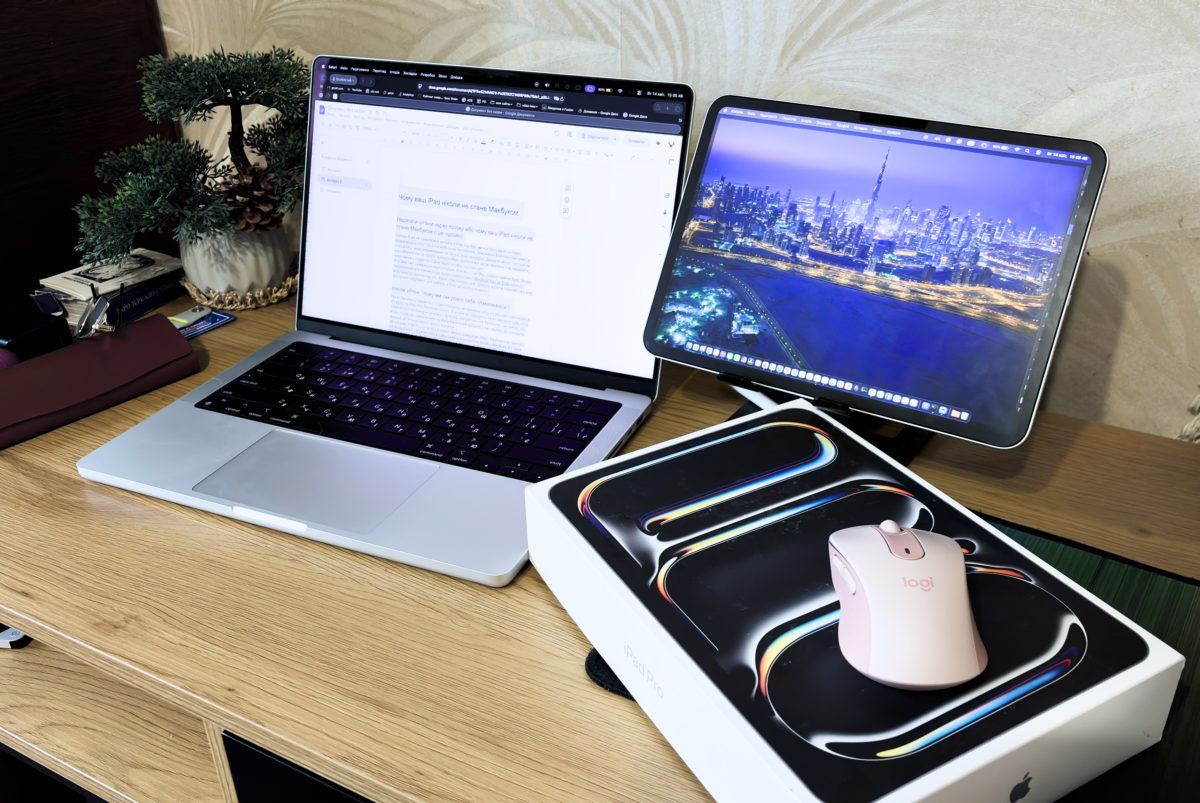
When you know that for reports, spreadsheets, and complex editing you have a MacBook Neo, the iPad becomes “magical” again. You pick it up not to “suffer over files,” but to enjoy it. You draw, you watch content, you play. You use it as Sidecar (a second screen) for your Mac. Right now, I am using my iPad as a second display for my Mac Pro. And it’s truly convenient because I don’t have space to set up a separate monitor. I take my Mac and iPad everywhere. It’s the perfect solution because I don’t need a second keyboard or mouse—I can use the MacBook’s trackpad and keyboard.
It’s like having a comfortable crossover in the garage for work and travel (MacBook) and a cool lightweight motorcycle for the thrill and rides (iPad). You wouldn’t try to transport a refrigerator on a motorcycle, right? So why try to layout a website or write code on a tablet?
The Mathematics of Common Sense
Let’s summarize the numbers.
Option A (The Maximalist): iPad Pro 13 + Keyboard + Pencil = ~$1,700. You get one device that constantly forces you to look for “workarounds” for ordinary tasks.
Option B (The Pragmatist): MacBook Neo ($599) + iPad Air/Pro 11 ($600–$800) = ~$1,200–$1,400.
You save several hundred dollars and get two different philosophies of work. You always have a Plan B. If something “doesn’t fit” on the iPad (and we know that happens constantly), you simply switch to the Mac. No nerves. No “wearing pants over your head.”
The iPad is an incredible product. It is perhaps the best gadget Apple has ever created in terms of hardware and feel. But it is not a computer replacement. It is its perfect partner.
The MacBook Neo became that missing puzzle piece that finally allowed us to relax. Now you don’t have to choose between convenience and functionality. You just need to use each device for its intended purpose. Do professional things on a professional system. And leave the iPad for what it does best—inspiration, lightness, and pleasure.
Because life is too short to spend it fighting a mobile interface where a full-fledged computer is needed.
So, What Is the iPad Good For?
The iPad works only with mobile apps. In many cases, you will have to switch to browser versions to get full functionality.
The iPadOS system does not allow for expanding certain functions. You won’t be able to customize your workflow as flexibly as you can on macOS.
It is a device for information consumption: reading, watching, browsing, quickly replying to emails or messages. The screen, battery life, and instant start make it ideal for the road, home, planes, or bed. Sketching, taking notes, outlining a structure, quickly editing a simple video, or processing a photo—anything where the speed of action is more important than the depth of functions.
An incredibly cool and convenient second screen. Paired with a Mac via Sidecar, it truly solves the workspace problem, especially if there’s no room for a separate monitor.
If you are used to working on a laptop, it will be inconvenient on an iPad. The interface, logic, and even simple actions feel different.
Conversely, if you are used to doing everything with one finger on an iPhone, the iPad will be a great solution for you. It is logical, fast, and intuitive for everyday use.
Більше новин в телеграмі