Microsoft Copilot: evolution from a “parrot” to an office assistant
Let’s be honest: most of us used Copilot in Word or Excel as a toy. We asked it to “rephrase a sentence” or “find an error,” but when it came to real work, it was easier to do everything ourselves than to explain every step to the bot. Microsoft has finally acknowledged this. The era of “chatbots in the sidebar” is ending — the era of autonomous agents is beginning.
Why the old Copilot was frustrating
The problem was that the AI behaved like a first-year intern: it could give decent advice, but was afraid (or unable) to actually use the tools. You got suggestions instead of real edits. On top of that, in large documents it often “lost track,” forgetting what was discussed ten pages earlier.
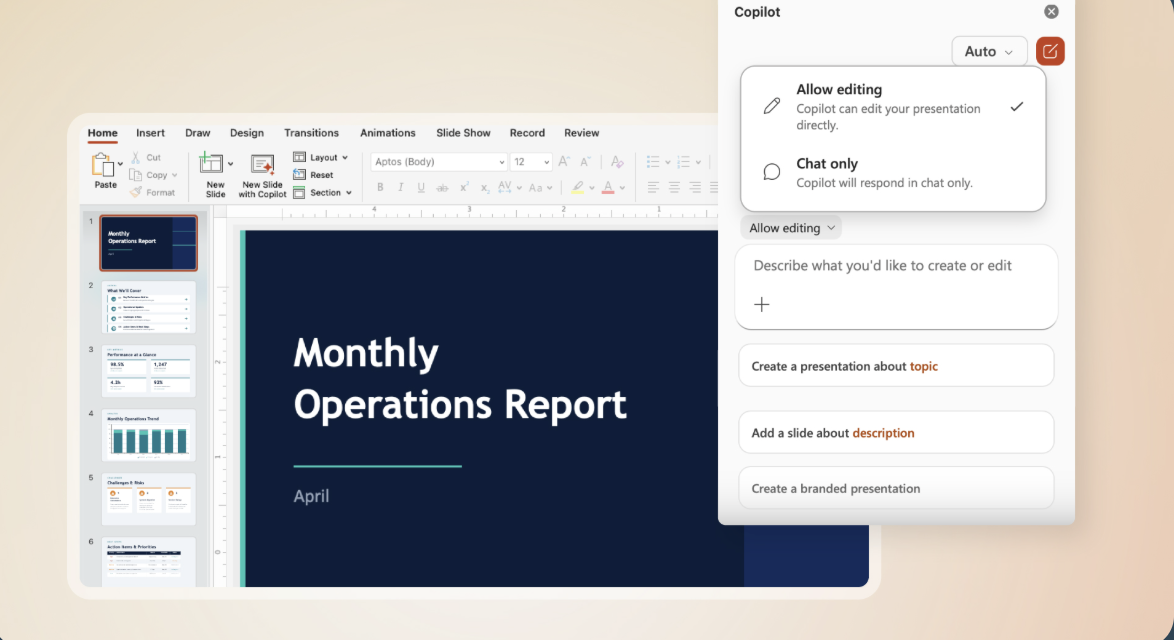
Now the approach has changed. Agent Mode is an attempt to give the neural network the “steering wheel” of your documents.
What Agent Mode is and how it works
Now Copilot is not just a chat window. It is an active executor. The key feature is that it has learned autonomy.
- In Excel. You no longer need to ask “write a formula to calculate taxes.” You set a task: “Analyze quarterly sales and highlight risks.” The agent creates tables, writes complex formulas, and visualizes trends while you drink your coffee.
- In Word. It stops being just a proofreader. The AI can independently write entire sections of text in your style and make complex, consistent edits without turning the document into a mess.
- In PowerPoint. The biggest pain point is corporate templates. The new agent has learned not just to place text on slides, but to “understand” the company’s style, automatically adapting the design to established standards.
“Vibeworking”: no more black box magic
Microsoft introduces an interesting term — vibeworking. This solves the trust problem. Previously, you would get a result without understanding how the AI arrived at it. Now the sidebar shows a “chain of reasoning” behind the agent’s actions.
You can see every step: “Analyzed cell A1,” “Found a link with table B,” “Applied a formula.” This allows you to control the process and stop the algorithm if it goes in the wrong direction.
Good news
Microsoft did not limit this feature to large corporations. Access is available to both enterprise customers (Microsoft 365 Copilot/Premium) and regular users (Personal and Family plans).
Context and the future
While Microsoft is refining the “brains” of its agents, hardware is not standing still either. An interesting detail: even SpaceX is already considering its own GPUs. This suggests that computing power for such “autonomous assistants” will continue to grow, and they will become even smarter.
We are finally moving from talking to AI to working alongside it. This is no longer a chatbot — it is your digital twin, taking over the routine tasks you hate.
Більше новин в телеграмі