Huawei Smartphones: All the Hidden Pitfalls of the OS
When a third player enters the market, it always sparks excitement, as healthy competition forces tech giants to move faster. It was with these exact ambitions that HarmonyOS burst onto the scene a few years ago, promising to be the perfect alternative for those tired of the eternal iOS vs. Android rivalry. However, the beautiful marketing pitch of a seamless ecosystem and incredible speeds quickly shatters against the harsh reality of daily use. No matter how hard developers try to wrap their product in a sleek package, this system remains alien and inconvenient for Western users. The romance of innovation quickly fades when basic digital habits turn into a daily obstacle course.
The biggest disappointment and main stumbling block is the total isolation from the software you rely on.
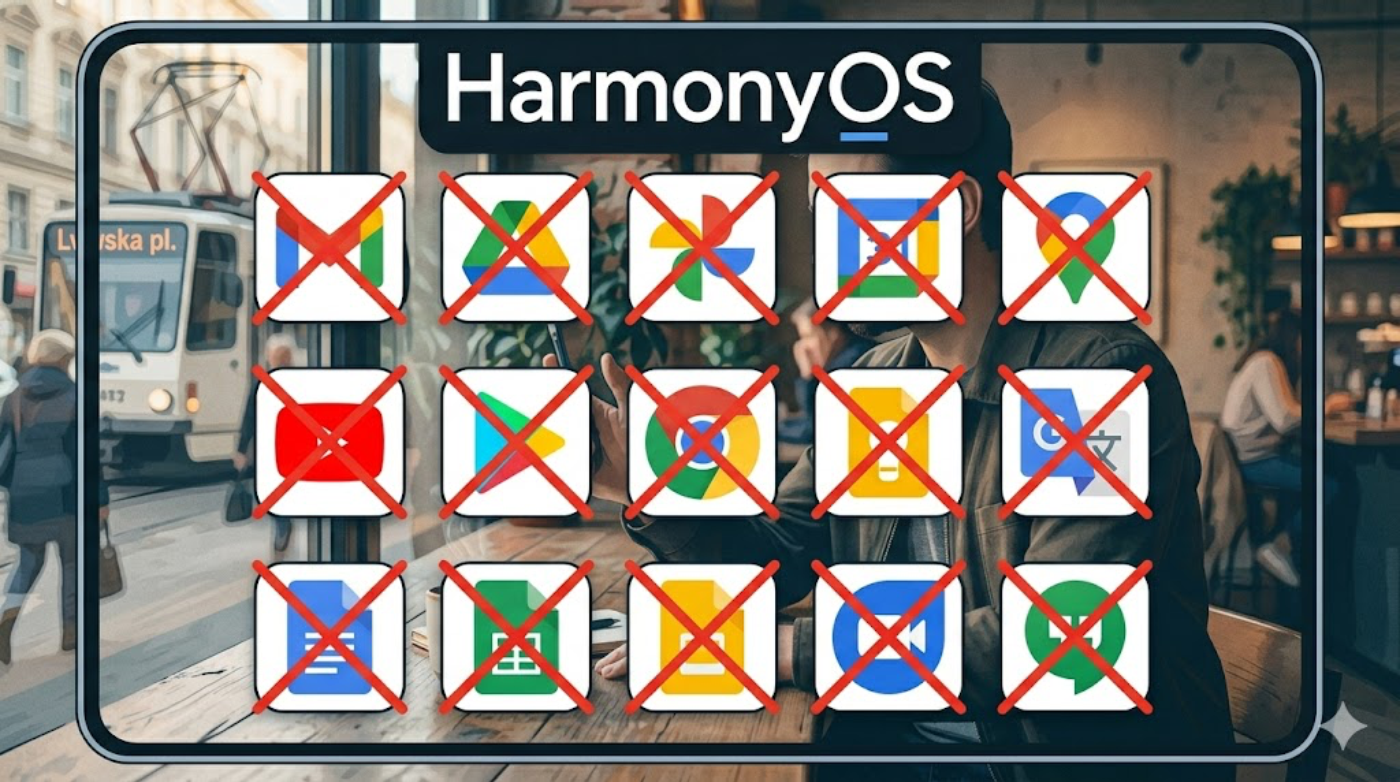
No Google Services
The operating system lacks official support for Google Mobile Services (GMS), which automatically turns buying a smartphone into a tedious cycle of setting up unstable workarounds.
Account Authorization Issues
Countless modern apps and mobile games are tied directly to your Google account, making it impossible to sync your data or log in with a single click.
Isolation of Banking and Local Apps
Local services—including food delivery, ridesharing apps, and various mobile banks—heavily rely on Google Maps API for geolocation. On HarmonyOS, they either glitch constantly or refuse to launch altogether.
Even if you are willing to spend time sideloading APK files and hunting through alternative app stores, the system will find a way to ruin the aesthetic pleasure of premium hardware. The second major flaw that completely destroys user comfort is aggressive ad monetization. The proprietary interface is literally saturated with bloatware notifications, sponsored recommendations, and pop-up banners appearing at the worst possible moments. Constant prompts to install yet another “junk” game or partner software turn the user experience into a digital nightmare. Trying to disable this spam in the settings feels like a game of hide-and-seek, where the UI is intentionally designed to confuse the device owner.
Ultimately, a modern smartphone is not just a bundle of megapixels and gigahertz—it is, above all, about digital comfort and security. We pay for a device that works right out of the box, seamlessly assisting us through our day. HarmonyOS currently delivers the exact opposite experience, forcing you into a constant struggle for access to essential services. That is why, despite all respect for the engineering effort, this system remains a compromise you simply shouldn’t make.
The Bitter Truth: How HarmonyOS Compares to Familiar Systems
To finally take off the rose-colored glasses, one only needs to look at the hard facts. When we buy a smartphone, we aren’t just choosing a brand; we are choosing our digital lifestyle environment.
Here is what reality looks like when you match HarmonyOS against the market titans:
| Comfort Criteria | Android | iOS (Apple) | HarmonyOS |
| Access to Google Services | Full, official, and seamless out of the box | Via official apps in the App Store | **None.** Only via mobile browser or unstable emulators |
| Ad Spam & Bloatware | Moderate (depends on the brand, easy to disable) | Virtually non-existent, maximum premium focus | **High.** Ads are deeply integrated into system utilities and the notification shade |
| App Store Ecosystem | Google Play (millions of verified apps) | App Store (strict curation, top-tier security) | AppGallery (growing, but lacks critical Western and local apps) |
| Password & Progress Sync | Automatic via Google Account | Automatic via iCloud | Requires a separate Huawei ID; old app progress is often permanently lost |
| Contactless Payments (NFC) | Google Wallet / Google Pay (universal acceptance) | Apple Pay (fast, secure, fully supported worldwide) | Alternative wallets (very limited support from major Western banks) |
Who is Trapped in the Ecosystem: Which Devices Run HarmonyOS
Since HarmonyOS is Huawei’s in-house software, you won’t find it on smartphones from other popular brands like Samsung or Xiaomi. This operating system fully powers Huawei’s current device lineup.
Here are the main series and devices shipping with this OS:
- The Pura Photo-Flagships (formerly P-series): The latest premium Pura 70 and Pura 80 models (including Pro and Ultra variants), boasting incredible cameras but heavily bottlenecked by software.
- The Mate Business Lineup: Ultra-premium flagship smartphones like the Mate 60 and Mate 70.
- Foldables: High-end flexible smartphones including the Mate X5, Mate X6, Mate X7, as well as the unique tri-fold Mate XT Ultimate Design.
- The Nova Sub-Flagships: Youth-focused mid-to-high tier devices like the Nova 12, Nova 13, and Nova 14.
- Tablets & Accessories: The MatePad premium tablet line (e.g., MatePad Pro and Air), and the Watch GT smartwatch series, where the lack of Google services feels slightly less painful than on a smartphone.
Більше новин в телеграмі