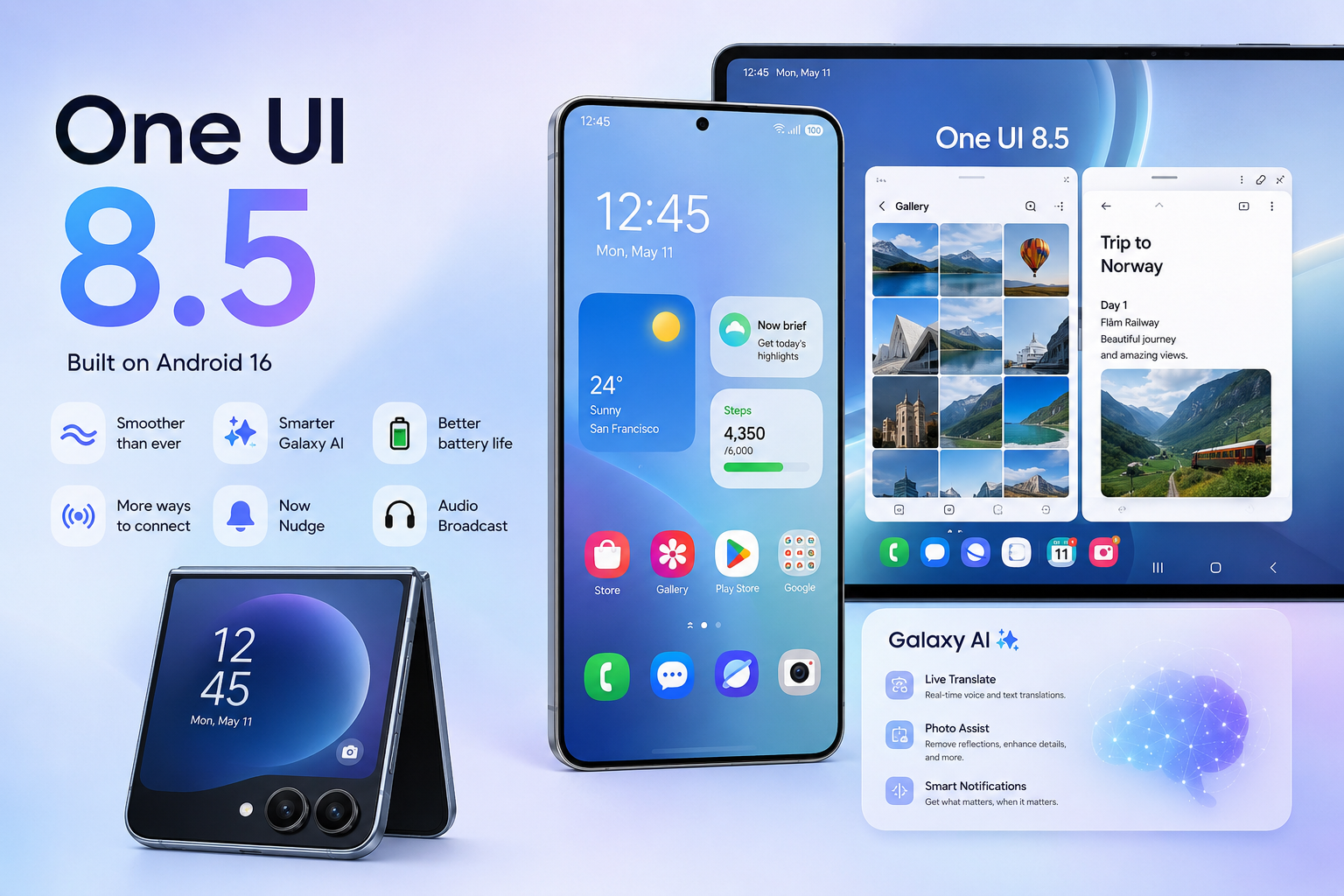
Samsung has launched the beta version of One UI 8.5 for the Galaxy S25 lineup, and at first glance this update feels quieter than headline-grabbing releases with new icons or radical redesigns.
Yet it is precisely updates like this that often turn out to be the most important in the long run. One UI 8.5 does not try to impress visually — instead, Samsung carefully refines what users actually rely on every day: photo editing, file sharing, ecosystem workflows, and security.
It is important to set the context right away. The One UI 8.5 beta is available via Samsung Members and only for the Galaxy S25 in a limited number of countries. This is not a mass update “for everyone,” but a testing phase in which Samsung evaluates new scenarios ahead of a stable release.
Photo editing without chaos: finally free to experiment
One of the most noticeable changes is the updated Photo Assist with edit history. There is no longer a need to save every version of a photo “just in case.” The system remembers each editing step, allowing you to return to a previous version or compare multiple results at any time.
At first, this may sound minor, but in everyday use these are exactly the details that cause the most frustration. When editing photos for social media, a website, or personal use, the fear of “ruining the shot” often limits experimentation. One UI 8.5 removes this psychological barrier and makes trial-and-error feel safe again.
The takeaway is simple: Samsung is making photo editing more deliberate and safer. This is not about effects for the sake of effects, but about convenience and saving time. For anyone who works with photos regularly, this is one of the most practical improvements in the update.
In other words, this is the kind of feature you start appreciating only after a few days of real use. It reduces clutter, cuts repetitive steps, and keeps your best result within reach. That makes One UI 8.5 feel less like a “beta experiment” and more like a meaningful quality-of-life upgrade.
Quick Share gets smarter — and demands trust
With One UI 8.5, Samsung enhances Quick Share, making content sharing more contextual. The system starts to better “understand” who it makes sense to send files to and when, including photos featuring people from your contacts. The goal is to reduce friction between capturing content and actually sharing it with the right person.
From a usage standpoint, this is a step in the right direction. The user thinks less about “how to send a file” and more about “who to send it to,” and the system adapts to that logic. However, an important nuance appears here: privacy, because smarter suggestions raise expectations for clear controls.
The conclusion here is cautious but positive. If Samsung provides flexible settings and avoids intrusive recommendations, Quick Share can become a genuinely useful tool rather than another feature users disable on day one.
What will decide the real value is whether the feature feels respectful, not pushy. If Samsung lets people tune visibility, permissions, and suggestion behavior, trust will follow. If not, even good ideas tend to get ignored, no matter how smart they are.
Audio Broadcast via Auracast: a niche but promising feature
One of the most unusual additions in One UI 8.5 is Audio Broadcast via Auracast for devices that support LE Audio. A smartphone can stream audio — or even live voice from its microphone — to multiple compatible devices nearby. This moves beyond “music to my earbuds” and into group scenarios where shared listening actually matters.
For now, this clearly sounds like a feature “not for everyone,” and that is true. In everyday life, many users may never encounter such a scenario. But in group situations such as tours, events, or training sessions, it can turn out to be unexpectedly useful in a very practical way.
The takeaway: this is a classic ecosystem investment for the future. Today the feature feels niche, but it is exactly these kinds of solutions that create the sense that Galaxy devices can do more when they work together.
This is also where hardware compatibility will make or break adoption. If more earbuds, speakers, and TVs support Auracast smoothly, the feature becomes a quiet differentiator. If support stays limited, it will remain a nice idea that most people never touch.
Storage Share and Samsung’s move toward a unified ecosystem
Another direction in One UI 8.5 is deeper file integration across Galaxy devices. Storage Share and the evolution of My Files aim to make smartphones, tablets, and other devices feel like parts of a single system rather than separate gadgets. The intent is simple: fewer manual steps and fewer “send it to myself” workarounds.
Samsung is clearly following a path long associated with Apple: less friction, fewer messenger transfers, and more of the “the file is already here — just open it” logic. This is an important psychological factor, because ecosystem convenience is often what keeps users loyal to a brand. When it works consistently, it changes habits, and habits are hard to break.
The conclusion: if Samsung delivers stability and simplicity in this scenario, One UI 8.5 will become yet another reason to stay within the Galaxy ecosystem when upgrading to a new device.
The critical word here is stability, not features. If permissions, sign-in, and access rules feel predictable, people will lean on it daily. If it feels confusing or unreliable, they will fall back to old methods, and the ecosystem advantage disappears.
Failed Authentication Lock: a small feature with a big impact
One of the strongest aspects of the update is enhanced security. One UI 8.5 introduces Failed Authentication Lock: the device automatically locks after multiple unsuccessful authentication attempts, whether via fingerprint, PIN, or password. It is a protective layer designed for the moments when you do not have time to think calmly.
This is not about paranoia, but about real-life situations. A smartphone has long become a key to banking, documents, and work accounts. In stressful moments, protection needs to work automatically rather than rely on the user making the perfect decision under pressure.
The conclusion here is clear: this is one of those updates you do not notice every day, but which can be crucial in a critical moment. Samsung is making security more mature and less dependent on human error.
Good security is often invisible, and that is exactly the point. If you never need this feature, it still did its job quietly in the background. If you do need it once, it can prevent a cascade of problems that starts with one unlocked screen.
Private album in Gallery: long requested, execution matters
In the One UI 8.5 beta, Samsung also introduces a simpler way to hide personal photos directly in the Gallery, without mandatory use of Secure Folder. For many users, this is one of the most anticipated features because it targets a daily, human need: quick privacy without complicated setup. The idea is to make “keep this personal” feel as natural as organizing an album.
However, it is important not to overpromise at this stage. In beta, functionality may be limited and usability not yet fully polished. Much will depend on how seamlessly Samsung implements access control and protection, without turning it into another menu maze.
The takeaway: the potential is huge, but the final impression will depend on the details. It is precisely these small details that determine whether a feature becomes mainstream or remains a checkbox item.
If this is done right, it becomes a feature people use daily without thinking about it. If it is clumsy, users will stick to Secure Folder or third-party solutions. Either way, the beta phase is where Samsung will learn what “simple” really means to real users.
Should you install the One UI 8.5 beta right now?
A beta is always a compromise. Yes, you get early access to new features, but you also accept the risk of bugs, instability, and incompatibility with banking or work apps. The closer your phone is to being a “tool you depend on,” the less appealing that trade-off becomes.
If the Galaxy S25 is your primary smartphone for work and daily tasks, it makes sense to wait for the stable release. If you are curious to test new scenarios and are ready for possible rough edges, the One UI 8.5 beta can help you understand early where Samsung is heading next. Either way, One UI 8.5 already makes one thing clear: Samsung is prioritizing practical improvements over flashy changes.
Більше новин в телеграмі