Android 16 hasn’t been officially released yet, but early beta versions already give us a sense of where the system is going. Google isn’t trying to reinvent the wheel — instead, they’re focusing on small improvements that affect how we interact with our phones every day.
This time, the focus is on the interface. The changes aren’t dramatic, but they’re noticeable. And while the final verdict will have to wait until the full release, it’s clear that Android 16 is trying to make things feel simpler and less intrusive.
Notification Shade and Quick Settings: now easier on the eyes
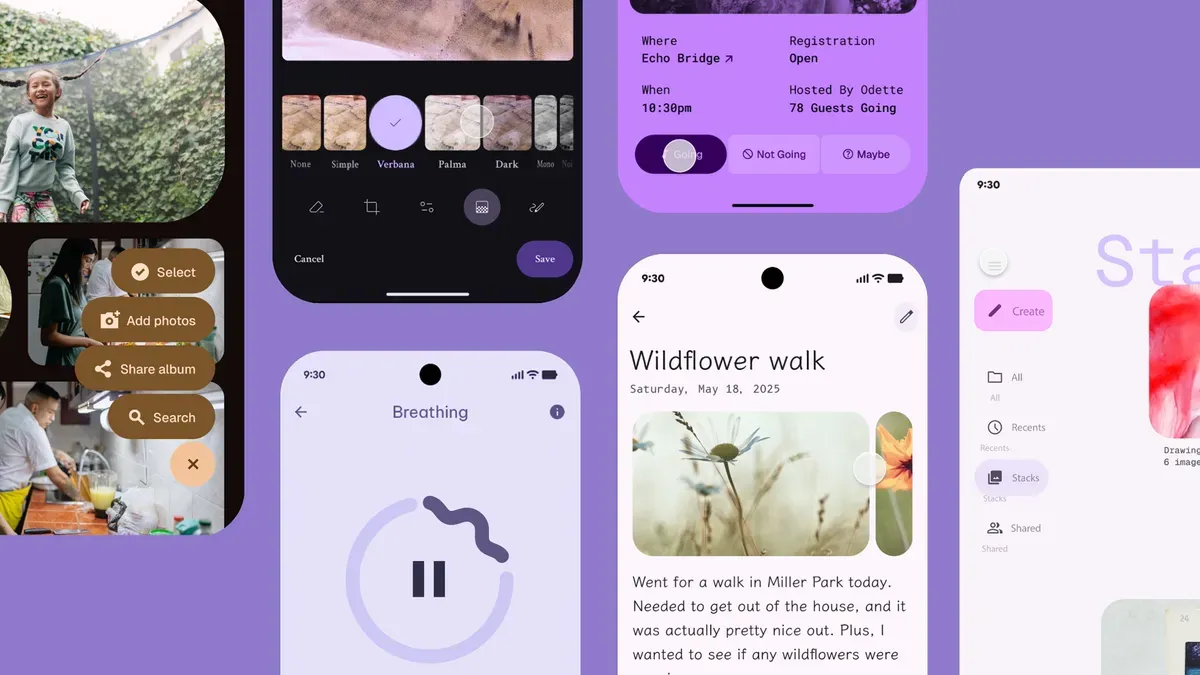
The notification panel in Android 16 beta has a fresh look — with a semi-transparent background, an updated brightness slider, and better-organized icons. It’s not a radical redesign, but it does feel calmer and more polished, especially in dark mode.
Status Bar and Lock Screen: small refinements that matter
You’ll notice slight changes in the status bar — the clock and icons look a bit different. On the lock screen, users can now adjust widget placement and color highlights. It’s not a complete overhaul, but it’s a welcome bit of personalization for those who care about the details.
Volume Controls and Settings: simpler, more focused
Volume sliders are now thinner and less intrusive. The settings menu also feels more structured: smaller section titles, colorful icons, and clearer navigation. These are small tweaks, but they add up to a smoother experience overall.
External monitor support: finally becoming useful
In earlier versions of Android, connecting a phone to an external monitor meant you’d just mirror your screen — no flexibility, no real multi-screen control. You couldn’t move the mouse between screens, and changing modes wasn’t intuitive.
That’s changing. Android 16 introduces better multi-display support. Now you’ll be able to switch between screen mirroring and screen extension more easily, and move the mouse across both displays. It’s a big step for anyone who wants to use their phone with a monitor for real work — like presentations or multitasking.
Is Android becoming more like a desktop OS?
Another addition in Android 16: the ability to reposition external displays and scale icons and text on external screens — something typically seen in desktop operating systems like Windows or macOS.
This could hint at Google’s broader ambition to turn Android into a more flexible, laptop-like environment — at least when paired with a keyboard, mouse, and display. And considering how advanced Android tablets like the Galaxy Tab S10 Ultra have become, this direction doesn’t seem far-fetched.
Even if the goal isn’t to replace your desktop, Android 16 seems to be giving users more options — and for many people, that’s enough.
Android 16 isn’t a revolution. But it’s not just another quiet update either. It’s a system that’s gradually becoming more refined, more user-friendly, and just a bit smarter in the ways that count. Whether it will fully deliver on these improvements — we’ll know after release. But the direction feels right.
Більше новин в телеграмі