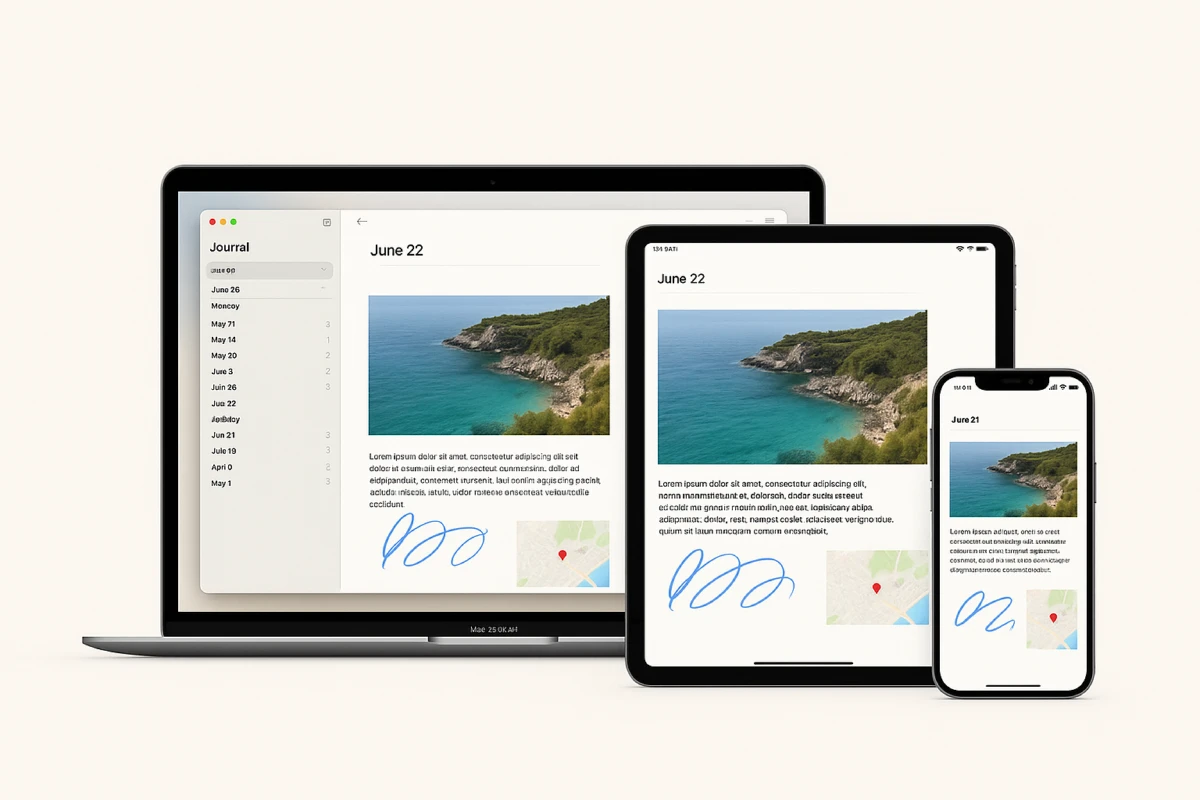
Apple continues to expand what iPadOS can do, and this year the Journal app finally arrives on the iPad. At first glance, it may look like just another notebook, but it’s designed for more than simple notes. Its real value is in focusing not on quick reminders or to-do lists, but on personal stories, reflections, and even the way you organize your day.
Apple rarely rushes new apps. The company usually waits until the experience feels polished, even if the market has long been ready. That’s exactly the case with Journal: it launched on the iPhone last year, and now with iPadOS 26 it’s coming to the iPad. Here the app feels much more complete, thanks to the larger display and support for Apple Pencil.
From notes to personal stories
On the iPhone, Journal worked best for quick entries — a few lines about your day, maybe a photo or two. On the iPad, it transforms into something closer to a personal diary. The larger screen makes entries easier to structure: you can insert images directly into the text, expand on your ideas, and create more visual records. You can describe a trip, add photos, sketch with Apple Pencil, and even tag the location on a map. What you end up with feels less like a note and more like a small story blending text, visuals, and context.
Why iPad makes Journal more convenient
The iPad gives Journal a different depth. The combination of the larger display and Apple Pencil makes writing and drawing natural. Notes are not just plain text — you can highlight important thoughts with colored handwriting, add diagrams, or capture a quick sketch. For people who prefer paper notebooks, Journal feels like a digital alternative that doesn’t sacrifice personality, but gains the advantages of search, cloud backup, and easy access across devices.
Apps Journal can replace
- Day One — one of the most popular paid journaling apps. Journal offers similar features for free: text entries with photos, location tags, and handwriting.
- GoodNotes or Notability — while Journal doesn’t go as deep with features, it’s perfectly fine for simple sketches, quick notes, or brainstorming ideas.
- Agenda or Moleskine Journey — Journal supports multiple journals and themed sections, which can serve as a lightweight replacement for basic daily or weekly planning.
For many users this could mean saving dozens of dollars on subscriptions while still having a tool that covers the essentials.
Using Journal to manage your time
Journal isn’t trying to be a calendar or task manager, but it helps you look at your day in a structured way. You might set up a separate journal just for planning, with:
- a morning entry — handwritten tasks for the day,
- an evening entry — reflections on what was completed and what to move forward.
With timeline and map views, Journal also gives you context: not only what you did, but where and how your time was spent. For those who want to analyze their routines, it can become a subtle but effective tool for self-observation.
Structure and new features
- Multiple journals — separate spaces for travel, work, or personal thoughts.
- Inline images — photos appear right in the flow of text.
- Map view — see entries based on where they were created.
- Improved search — find notes by words, dates, or locations.
- Recover deleted entries — restore notes that were removed by accident.
These details make Journal more than just a note-taking app — it becomes a personal space with organization built in.
How it differs from Notes
The obvious question: why do you need Journal if there’s already Notes? The answer is focus.
- Notes — practical lists, reminders, or work material.
- Journal — personal space for feelings, events, and memories.
They don’t compete; they complement each other. Notes handles tasks, while Journal preserves life.
Who might benefit the most
- Students — for mixed notes with drawings and handwriting.
- Travelers — for memories with photos and locations.
- Creative professionals — for sketches, quick concepts, or idea logs.
- Privacy-focused users — since Journal is built as a personal space, not a public feed.
On the iPad, Journal becomes more than an app — it’s a personal space for stories. It works smoothly within the Apple ecosystem, supports Apple Pencil, combines text, images, and sketches, replaces some paid apps, and even helps structure your time. It’s not a full planner and not a professional writing tool, but its strength lies in simplicity. Where people once kept paper diaries hidden in drawers, now they can have a private digital journal that’s always with them — on the iPad they carry every day.
Більше новин в телеграмі